How to review a translation when you don’t speak the language
You can catch important mistakes without speaking the target language. The useful distinction is between checking the delivery and approving what the words mean.
Check completeness, business facts, variables and the final layout yourself. Ask a qualified target-language reviewer to check meaning, tone and suitability for the audience. Backtranslation and AI explanations can help you ask better questions; treat them as review aids rather than a substitute for that second person.
This is a practical concern, not just a tooling question. A writer working with historical Japanese texts describes smooth English output that added material and changed the voice. In a separate designer’s annual-report discussion, replies focus on who can approve the Spanish and who checks the final document. These are different jobs, with the same missing handoff.
Here is a review process for a campaign, interface or document when you own the source but cannot independently read every target language.
Separate the checks you can make from language approval
A translation can have every number in the right place and still imply the wrong promise. It can also be linguistically sound and fail because a line disappears behind an image.
| Review layer | What to inspect | Who should own the decision? |
|---|---|---|
| Coverage | Missing segments, pages, fields or subtitle cues | Content or production owner |
| Protected facts | Offer amounts, dates, names, destinations and required qualifications | Person who owns those facts |
| Technical delivery | Variables, message parsing, links, fonts, clipping and file behaviour | Developer or designer, with language help where needed |
| Language and audience | Meaning, omissions, register, terminology and cultural interpretation | Qualified target-language reviewer |
| Release | Correct reviewed version in its actual destination | Named publishing owner |
This division follows the useful distinction in Microsoft’s localization-testing guidance between functional, visual and linguistic validation. A target-language expert needs the running interface or final creative as well as isolated text.
Give every piece of copy an identity and a brief
Before generating language versions, give each unit a stable identifier: a record ID, string key, slide and text-box reference, or subtitle cue. Keep the source beside the proposed translation.
Add the target locale, the placement, any protected facts and the intended action. “French product tooltip, informal tone, shown after a failed upload” is a more useful brief than “translate into French”. Separate a product name that must stay unchanged from terminology that should have an approved local equivalent.
For an image without editable text, check the extracted source wording first. A later review cannot reliably explain a translation made from a misread source. For presentations, include the notes and grouped text that belong in the review scope.
Try a small structural check, and see what it misses
We made a fictional four-row review exercise. The French examples are manually written demonstration text, not Nativ-generated results, an independent benchmark or approved French copy.
| Source | Proposed translation | What the exercise shows |
|---|---|---|
| Save 20% on Field Notes. | Économisez 30% sur Field Notes. | The discount changed. A percentage check flags this. |
| Hello {{first_name}}, your file is ready. | Bonjour {{prenom}}, votre fichier est prêt. | The application variable changed. A token check flags this. |
| Save up to 20%. | Économisez 20%. | The percentage matches, but the qualification needs language review. |
| Returns within 30 days. | Retours sous 30 jours. | No covered token or percentage error is found. That does not approve the sentence. |
Download the exercise CSV, small Python checker and instructions. Save them together, then run:
python3 preflight.py exercise.csvThe checked result is two flagged rows. The script intentionally exits with status 1 because those inputs contain errors. It makes no network calls and requires no extra packages.
Its scope is deliberately narrow: ASCII integer percentages and {{named}} tokens. It does not validate general numbers, locale-specific notation, currency, dates, HTML, ICU plurals or other message formats. Use your application’s parser and format-aware checks for those. Even within this exercise, the unchanged percentage in the third row cannot establish that the offer means the same thing.
Use backtranslation to investigate a specific doubt
A backtranslation gives you another rendering to compare with the source. Ask what happened to the offer condition, the person performing an action, or the distinction between “may” and “will”. Ask for the exact target passage behind the explanation.
Do not approve a translation because its backtranslation sounds familiar. You still need to establish whether the target wording carries the right meaning in context. Two model outputs agreeing is not the same evidence as a qualified reviewer checking the actual wording.
Use a bounded request such as:
Compare the source and target. List possible missing conditions, changed facts, added claims and terminology conflicts by segment ID. Explain each concern in English, cite the target passage, and mark uncertainty. Do not rewrite, publish or approve anything.
The ATA’s review guidance emphasises checking completeness, meaning, terminology and the target format. A convincing explanation is useful only if it helps someone inspect those things.
Hand the reviewer a decision they can return
Send the source, proposed translation, brief and an image or preview of the destination together. Ask the reviewer to return:
- the segment ID and corrected wording;
- a short reason for substantive changes;
- any question about the source or audience;
- whether the issue blocks release;
- the exact version they reviewed and their decision.
Keep content pending when the reviewer has not answered. Distinguish an accuracy correction from an optional stylistic preference. Where the content has specialised consequences, choose someone with the relevant subject expertise as well as the language skills.
Inspect the final asset again after applying edits. Check line breaks, glyphs, reading direction and whether the reviewed wording survived export. Avoid shrinking type simply to hide overflow; return the constraint to the reviewer and designer.
Keep Nativ’s context, review and apply steps distinct
Nativ provides brand voice, style guides and language preferences that help establish the brief. Its translation memory lets your team retain reviewed wording. A retrieved match or explanatory rationale is reference material, not a universal quality certificate.
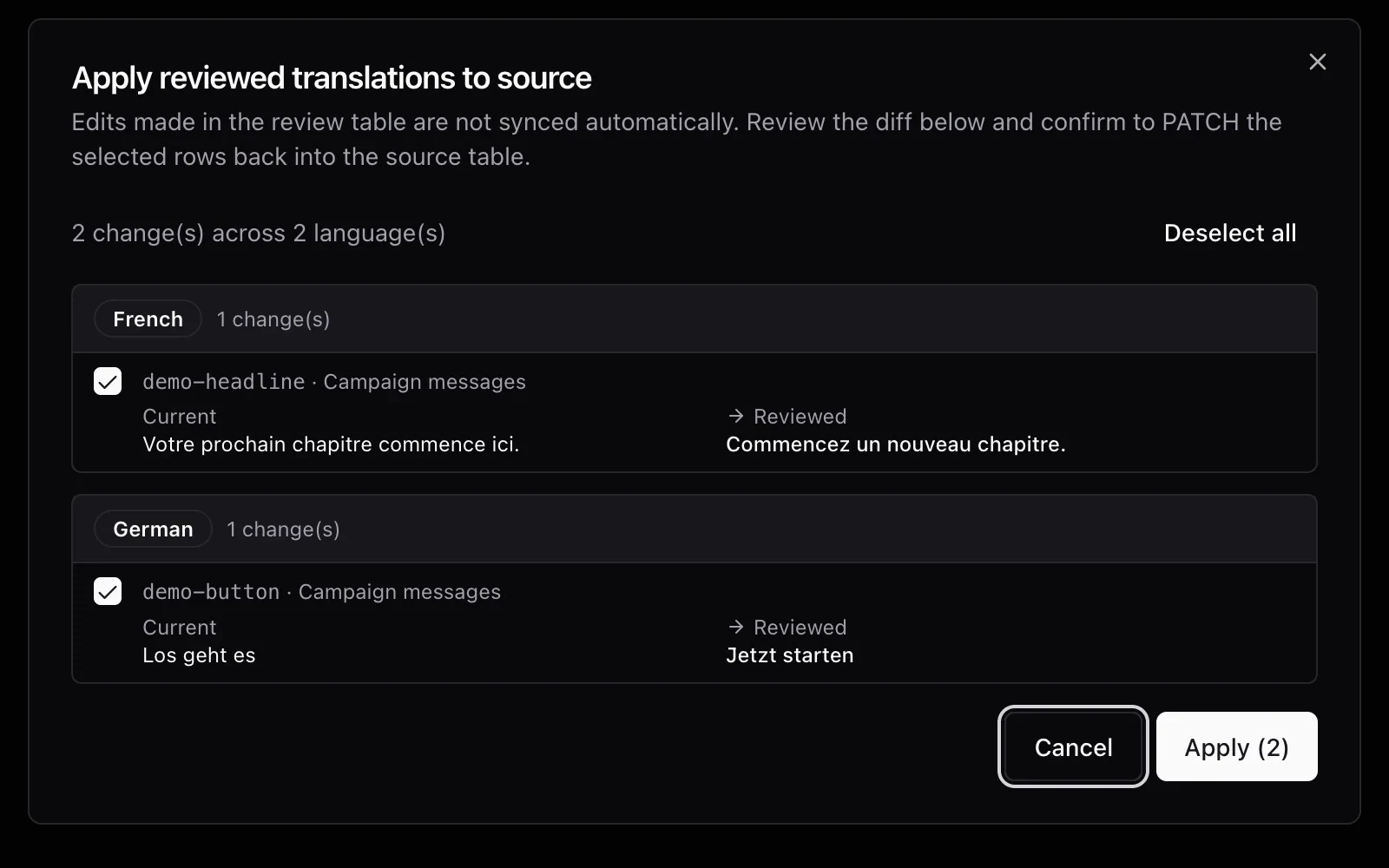
For content in Airtable, supported review options can create a review table. Edit and inspect the proposed language there, then use Apply reviewed translations to source to compare selected changes before writing them back. A simple translation-only job does not necessarily create that review table. The Airtable walkthrough covers the setup and writeback scope.
If you work through Nativ MCP, start by asking the assistant to show relevant style guides and memory references. Keep generating a candidate, reviewing it, and recording an approved pair as separate instructions. Tool access does not make the assistant your language approver.
Your useful deliverable is a traceable decision: which wording was reviewed, by whom, in which context, and where that version was applied. That remains valuable even when you cannot read the target language yourself.
Product references
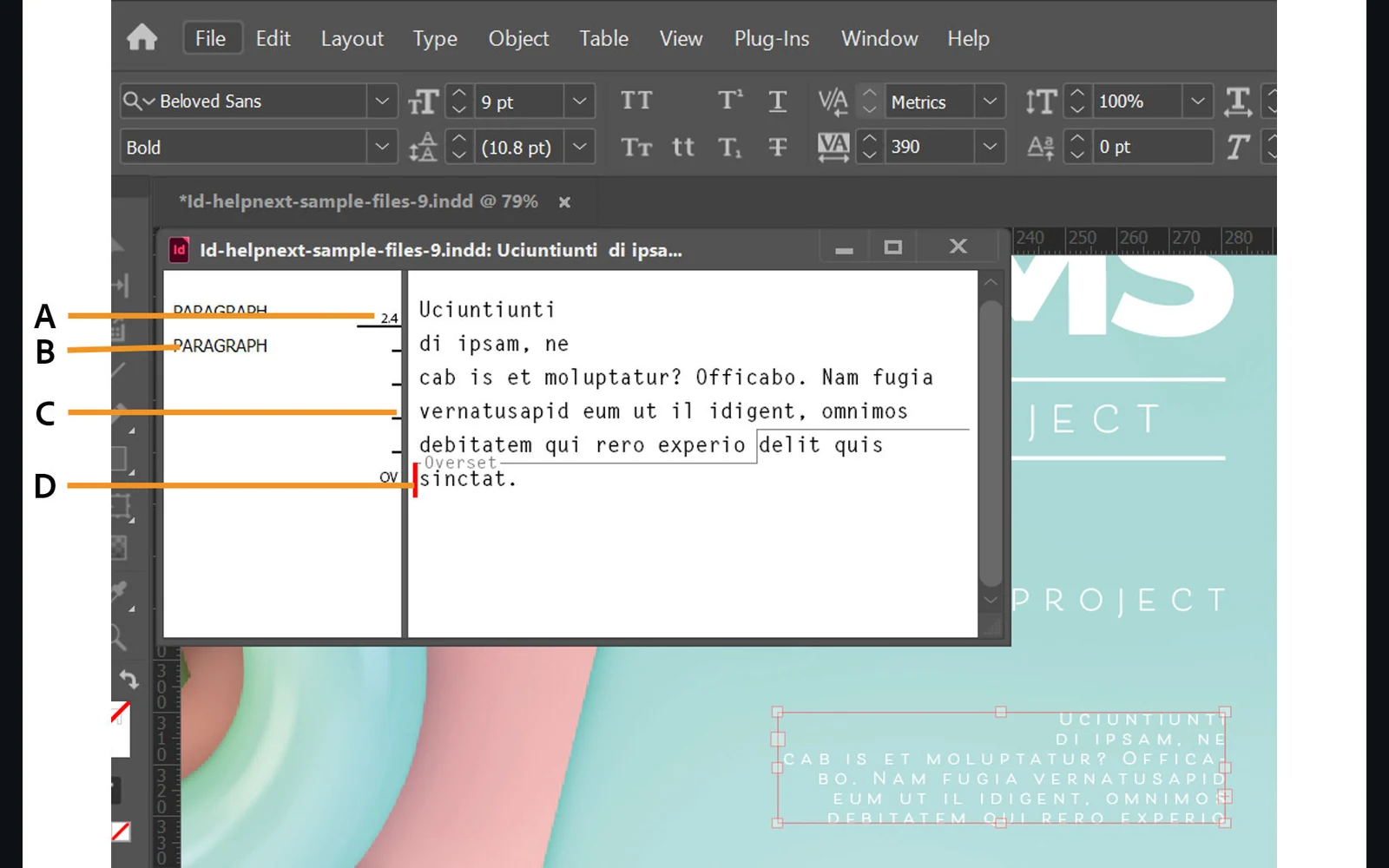
Why translated text disappears in InDesign, and how to find it
Diagnose missing translated InDesign text: inspect the story, check overset and fonts, verify an IDML phrase locally, then review the exported page.
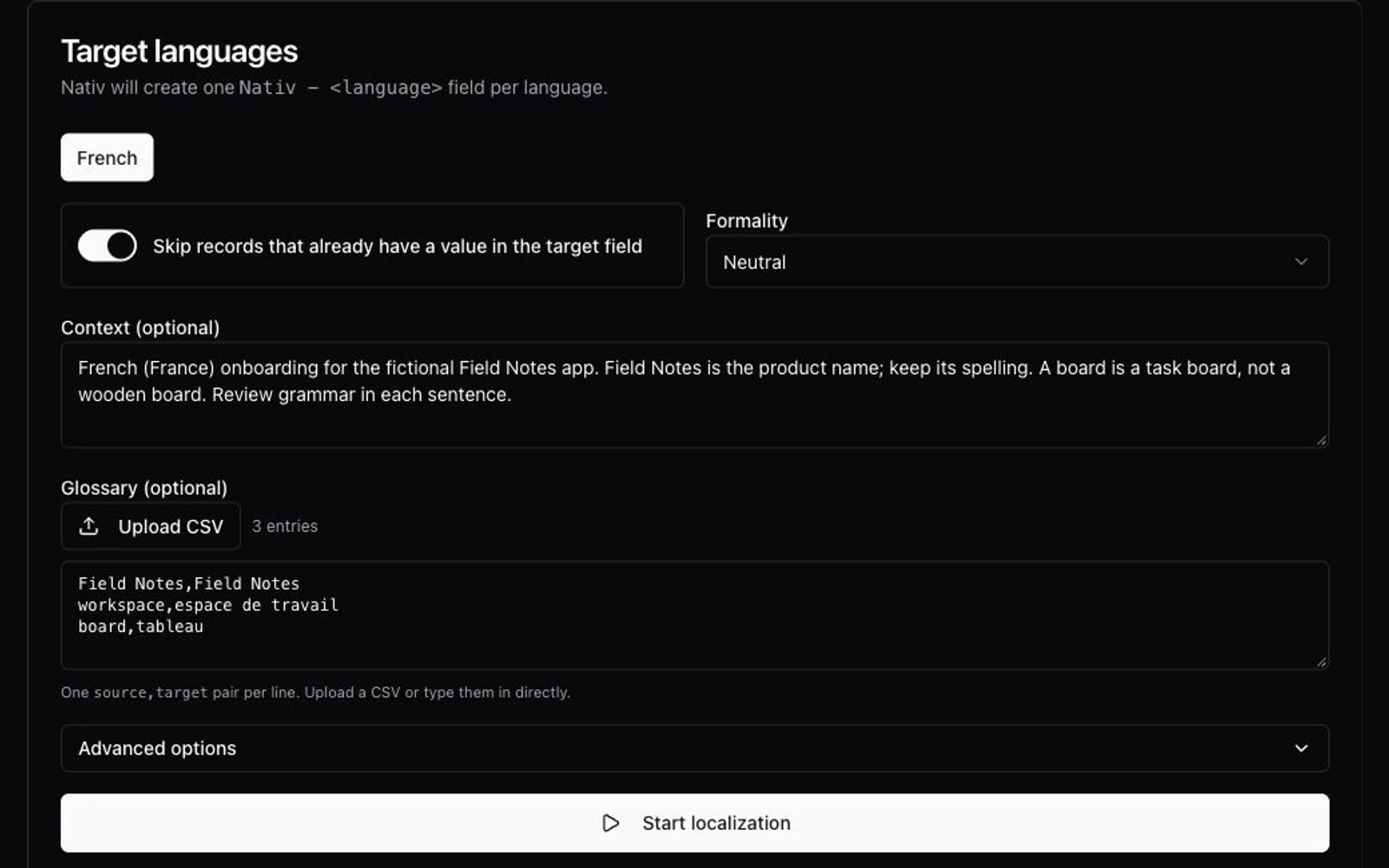
How to create a translation glossary, with a CSV template
Build a useful translation glossary from existing copy, define term meanings and locale rules, then test it in Nativ’s dashboard or MCP workflow.