Connect your workspace
Install Nativ and connect your account. Ask for your language settings and brand voice before you begin.
Localise campaign copy and images.
Right inside ChatGPT.
Bring your Nativ brand voice, terminology and approved translations into the conversation. Review the copy. Refine the creative. Choose what goes out.
Uses your Nativ workspace and credits. Check account requirements →
From one prompt to French copy and creative.
Edited demonstration with actual Nativ outputs.
Fictional Field Notes campaign.
English → French
The image below is the French draft returned by Nativ. The campaign moves to a new language, and FIELD NOTES stays FIELD NOTES.
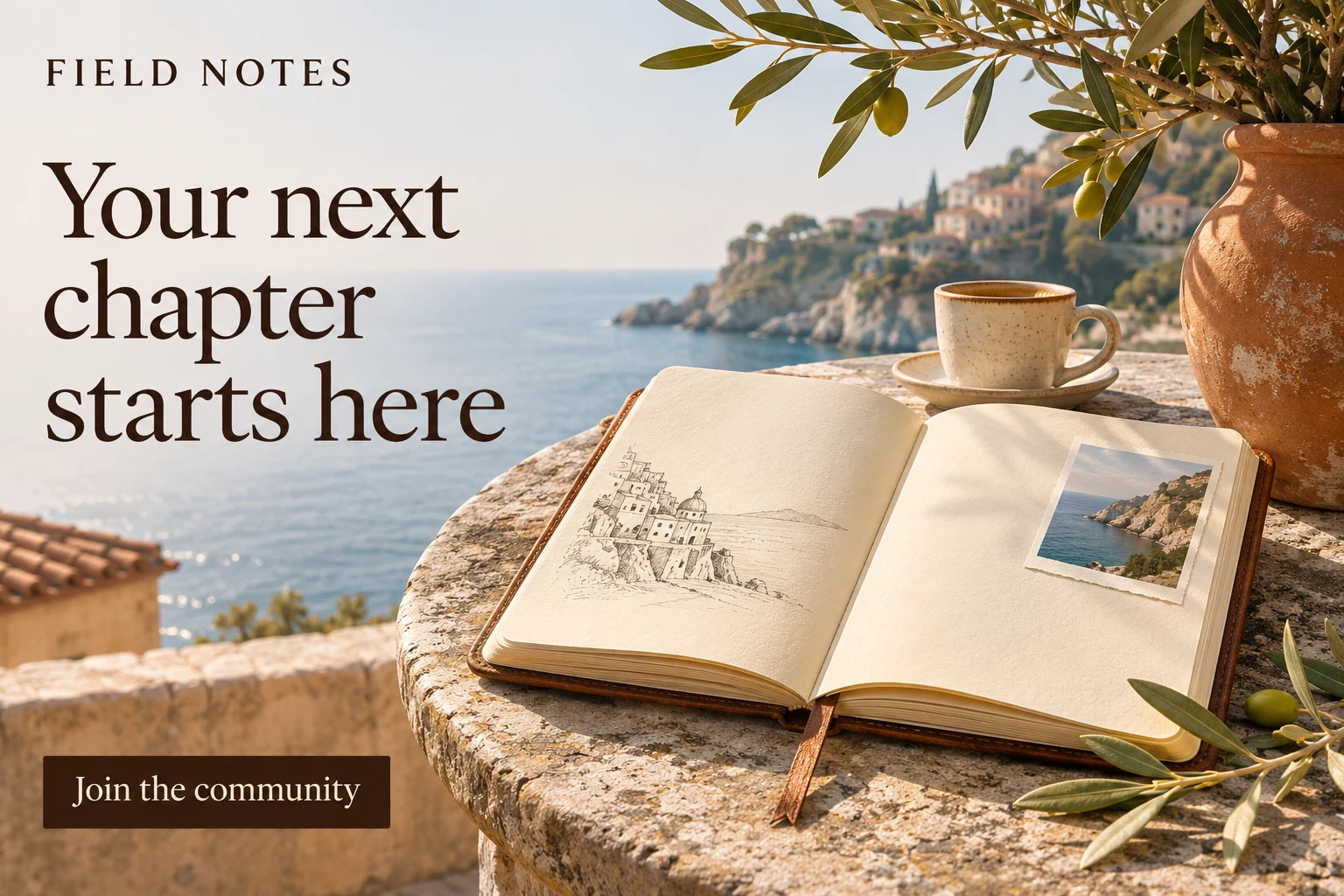
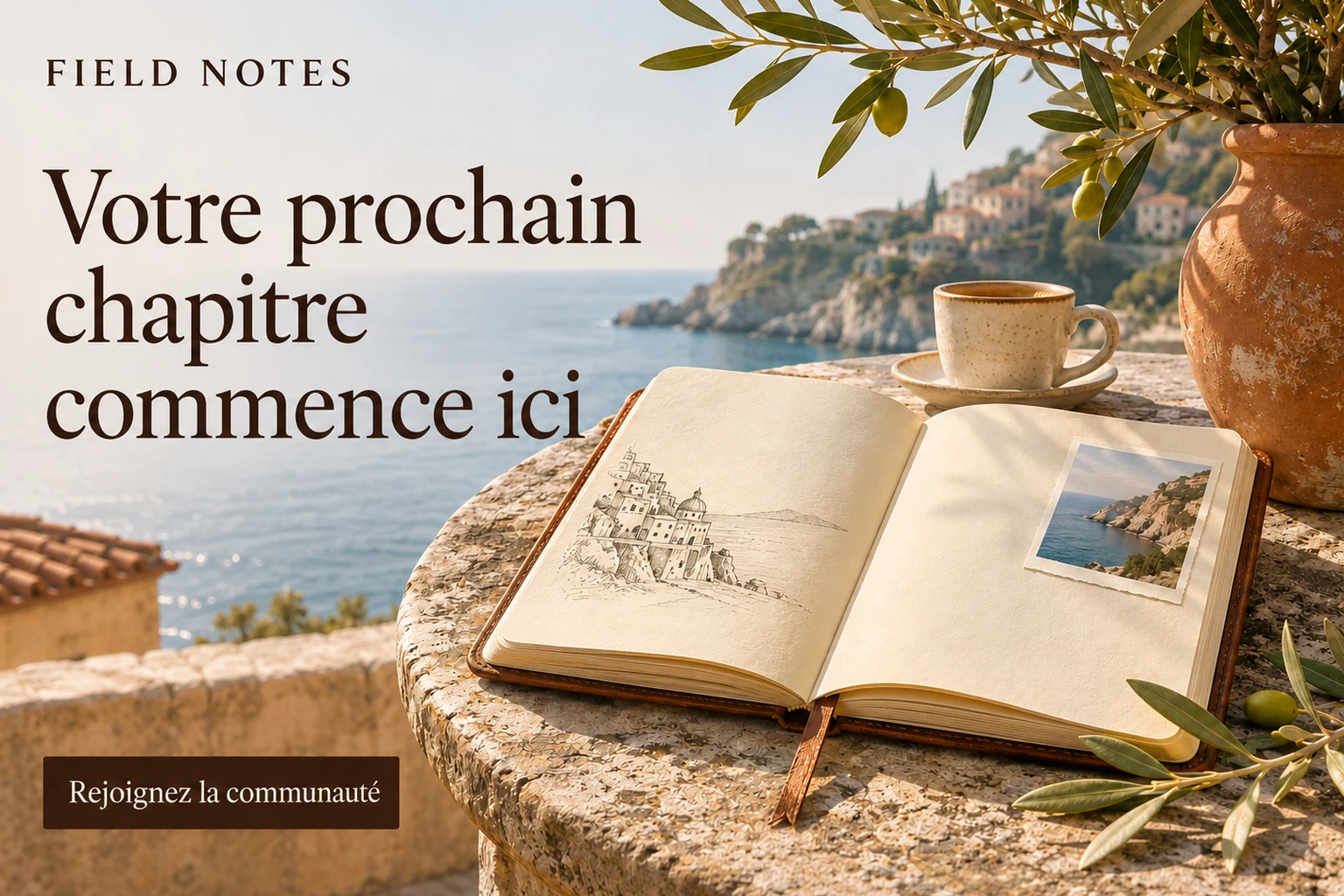
A 36-character French headline. An exact match with the example workspace’s approved memory.
Ready for your reviewFrom prompt to review
Install Nativ and connect your account. Ask for your language settings and brand voice before you begin.
Share the copy and target market. Ask for a different tone, a shorter headline or a backtranslation to help review the meaning.
Compare source and localised wording. Copy or export the result. Save exact wording to approved memory only when you choose.
Try it yourself
Use your own campaign lines or try the example creative. Name the market, where the copy will appear and any length limit.
“Read my Nativ language settings, brand voice and style guides.”
“Localise these three campaign headlines for France and Germany using our brand context. Keep the product name unchanged.”
“Make the French headline warmer and keep it under 40 characters. Include a backtranslation.”
“Localise the visible text in this image for France. Keep FIELD NOTES unchanged: https://www.usenativ.com/integrations/chatgpt/field-notes-en.webp”
Keep MFA enabled if your account uses it. We can help you find another workflow.
Good to know
Open the Nativ plugin listing, choose Install plugin, then follow the prompts to connect your Nativ account. Use an admin or maintainer account with AI access. Plugin availability also depends on your ChatGPT account and workspace settings.
Individual lines and batches of campaign copy. You can also extract and localise text in a creative image supplied through an accessible HTTPS image URL. A ChatGPT attachment is not automatically a usable image URL.
Nativ can read the connected workspace’s language settings, brand voice, terminology, style guides and approved translation memory. Set these up in Nativ, then ask ChatGPT to use them for the task.
No. Generated wording is a draft. Saving to approved translation memory requires explicit approval of the exact wording. Review the result before using it in a campaign.
Generation uses the connected account’s Nativ credits. Installing the plugin does not provide unlimited generation. Your ChatGPT plan and workspace controls may affect access.
The initial release supports Nativ admins and maintainers with AI access. MFA-protected account linking is not yet supported. Do not disable MFA to connect; contact us for another workflow.
The wording remains available in the conversation. Open the card in a tab and choose Try again. If clipboard access is blocked, select the wording and use your normal keyboard copy command. Export links expire after one hour.
The plugin connects Nativ’s tools to supported ChatGPT conversations and provides a review and export interface. The existing Nativ custom GPT remains a separate entry point.
Read our privacy policy or get help. Looking for a connection to another AI client? Explore Nativ MCP →