Your brand voice should travel with the work.
A brand should not have to explain itself again every time its copy moves from a design file to a content table or an AI assistant.
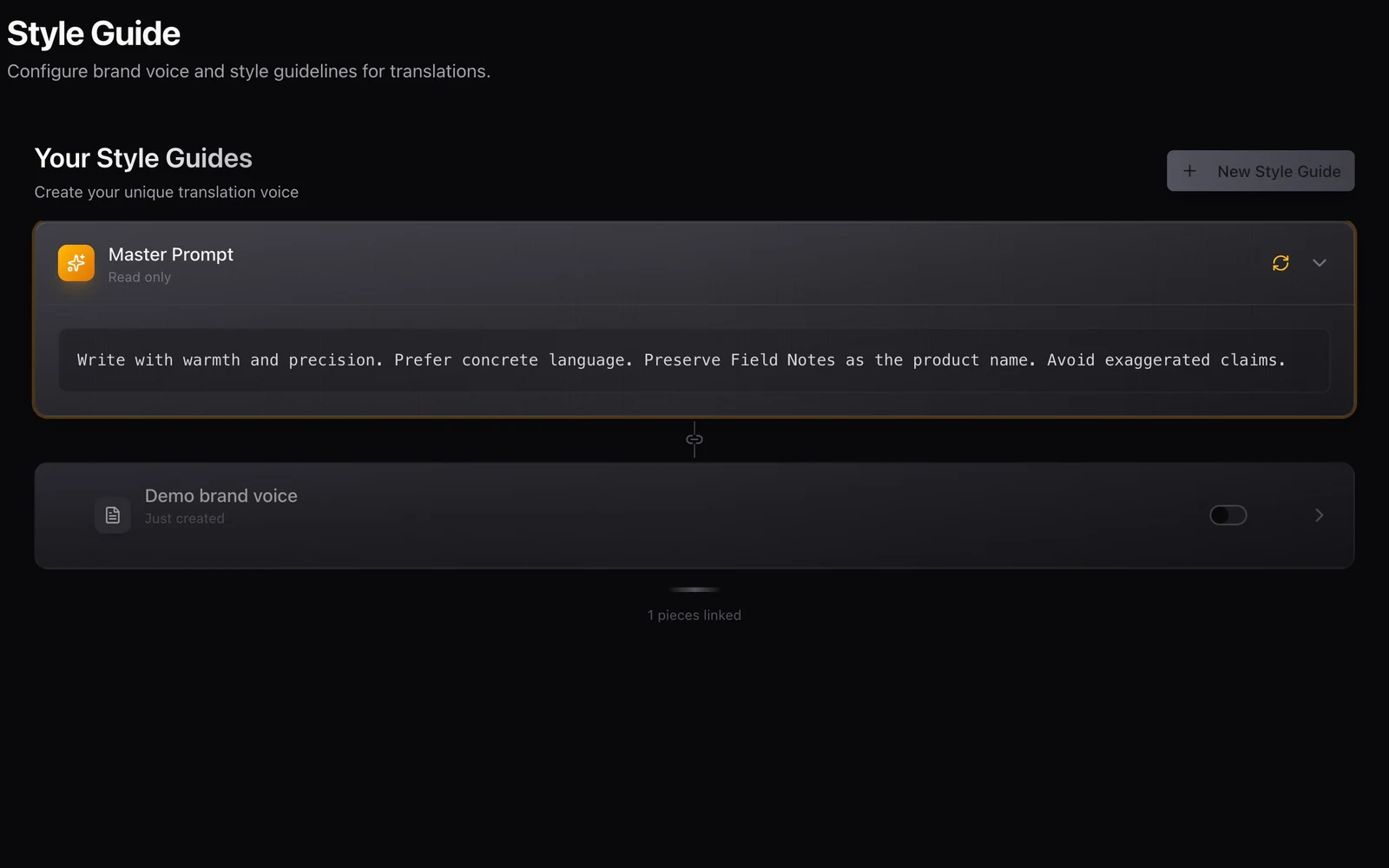
A team describes its brand as warm, precise and quietly confident. The website follows that brief. A new social campaign calls everything “revolutionary”. A product tooltip suddenly sounds like a formal letter.
Each piece may be grammatically sound. Together, they sound like different organisations.
Moving localisation into more tools makes this problem more visible. A designer in Figma, an editor in WordPress and a developer using the API should have access to a coherent linguistic brief. Nativ’s workspace context is designed to make that brief reusable across its supported workflows.
Give each instruction a job
Brand voice, terminology and translation memory are related, but they answer different questions. Mixing them into one long prompt makes the brief harder to maintain and the result harder to explain.
| Context | The question it answers |
|---|---|
| Brand voice | What should this organisation sound like? |
| Style guide | Which writing rules should this work follow? |
| Glossary or terminology | How should a specific term be handled? |
| Translation memory | What relevant wording has already been recorded? |
| Request context | Where will this particular text appear? |
For a fictional product called Field Notes, the glossary might preserve that name. The voice might ask for concrete, encouraging language. A request could explain that the text is an error message shown after an interrupted upload. Those instructions should work together without requiring a new brand manifesto for every sentence.
Make the brief observable
Nativ exposes brand and style-guide settings in the dashboard, with language-specific formality and custom-style controls in the language settings. Its public MCP tools also expose operations for reading brand voice and style guides and inspecting the combined prompt.
These surfaces make context inspectable. They help a person check what the workspace currently says before attributing an unexpected result to the translation itself.
Availability of a setting is not a guarantee that every connector exposes every option in the same place. The useful discipline is to verify the workspace context used by the workflow you are testing, then supply any placement-specific information that the interface accepts.
Build a brief you can evaluate
- Write down a few concrete voice rules. “Use short, direct instructions” is easier to evaluate than “sound premium”. Include examples that make the intended distinction clear.
- Separate terminology from tone. Record product names and specialised terms deliberately. Avoid hiding an important naming rule inside several paragraphs about personality.
- Review the active style guides. Check which guides are enabled and whether older instructions still belong in the workspace. Resolve contradictions rather than adding another exception.
- Set language-specific requirements. A language may need a particular formality or custom style. Make that choice with someone who understands the audience.
- Test a small set of representative copy. Include a headline, an interface label, a support message and a longer description. Supply their placements as request context.
- Compare across the tools you use. Try the same approved terminology in a design workflow and an integration such as Airtable. Review consistency of meaning and register, rather than demanding identical wording in every placement.
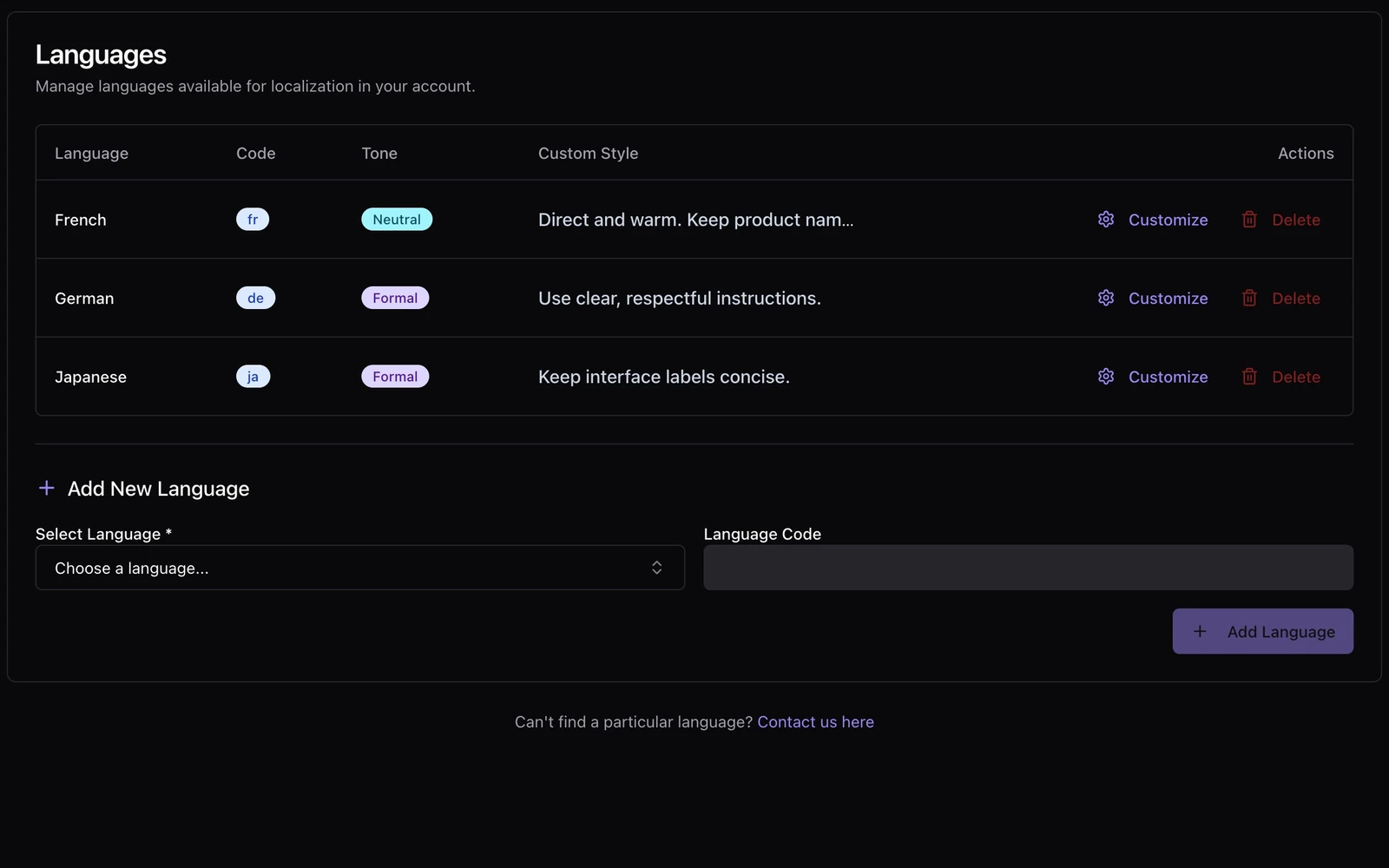
A brand rule is a hypothesis about useful writing
“Keep sentences short” can help an interface and damage a carefully paced editorial paragraph. “Always sound friendly” can become inappropriate in a failure message. The brief should describe the brand while leaving room for the purpose of the content.
Keep a small evaluation set and revisit it when the brief changes. Record which outputs were useful and why. If a new rule improves marketing headlines but makes instructions vague, refine the rule with that evidence.
This is where translation memory becomes valuable: approved wording can become an explicit reference rather than an anecdote in a team’s chat history.
Shared context gives the work a coherent starting point. The design review, publishing review and final language decision still happen where their consequences can be seen.
Product references
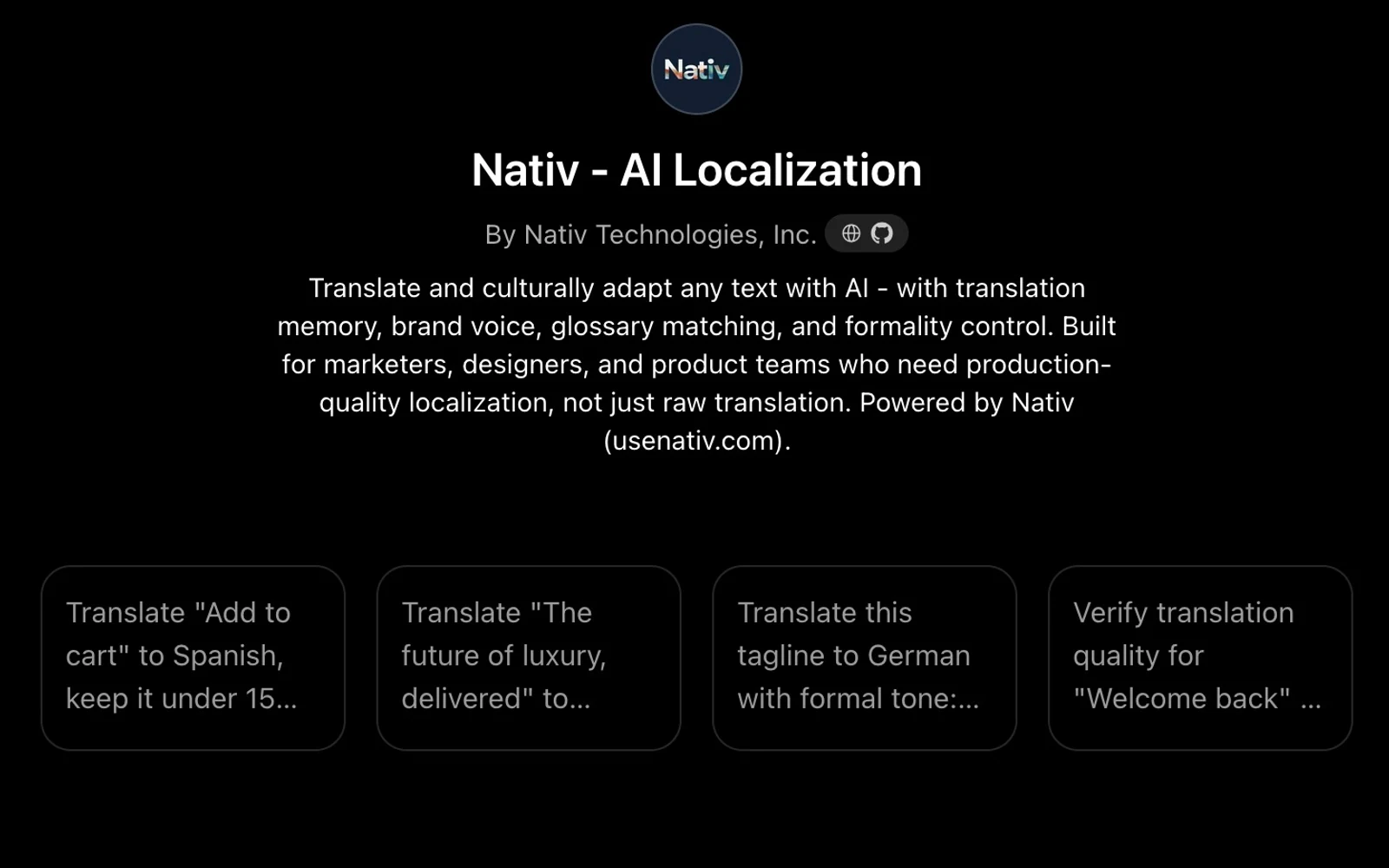
A conversation can start the work. Your brand context should follow.
Use the Nativ GPT for text localisation in ChatGPT, supply placement and terminology, and review translations with the context of your Nativ workspace.
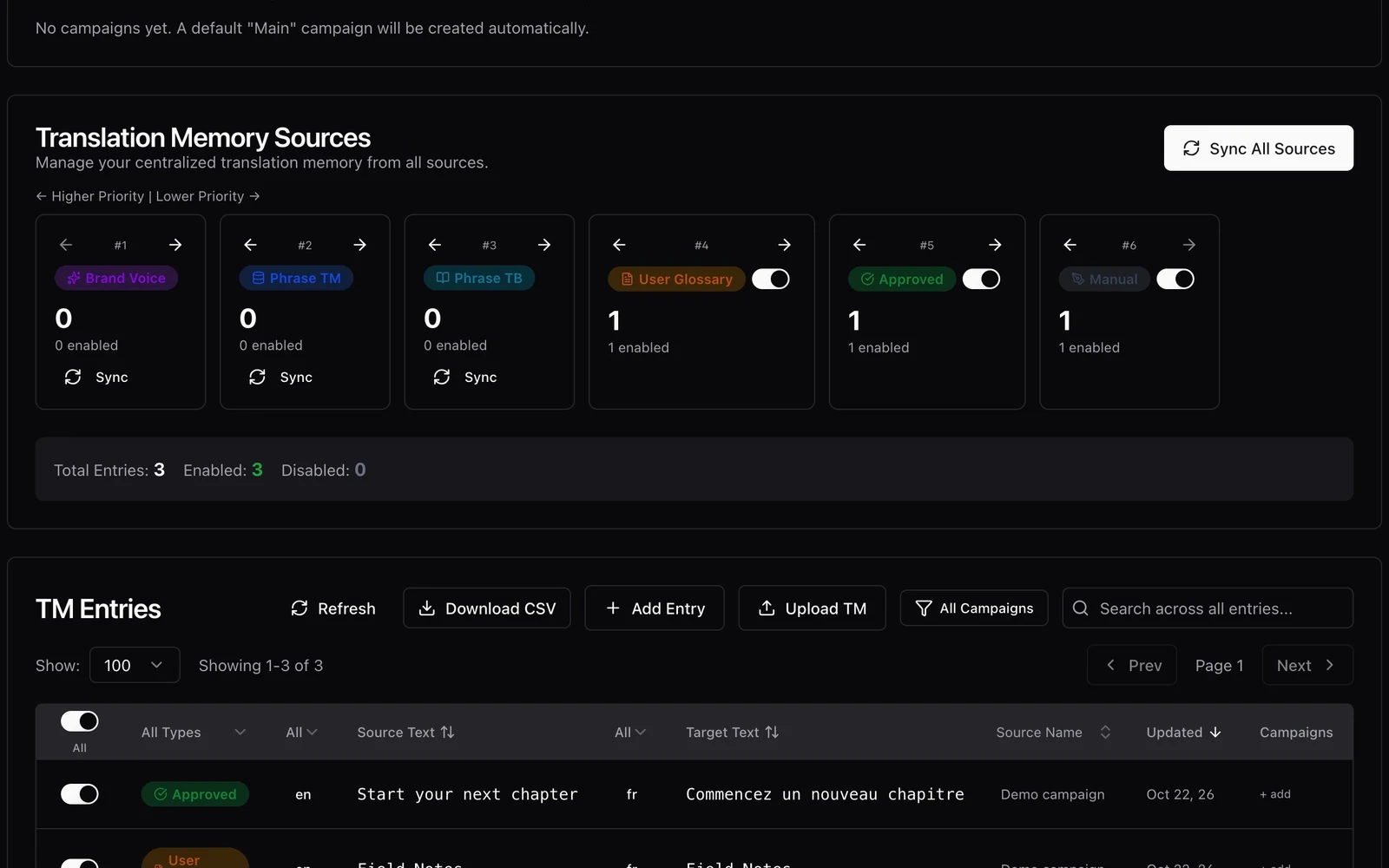
An approved phrase should be useful more than once.
Inspect Nativ translation-memory matches, retain provenance, and turn reviewed wording into a maintained reference for future localisation work.