Let the asset library start the localisation workflow.
A creative asset arriving in the media library is a useful signal: the work exists, the team knows where to find it, and its next language versions can begin there.
A finished Photoshop campaign reaches the media library. A producer downloads it, sends it to another team, waits for language versions, and eventually uploads the results back into the same library.
That sequence contains creative decisions, but it also contains coordination work. Someone has to notice the asset, initiate the job and keep track of where the result belongs.
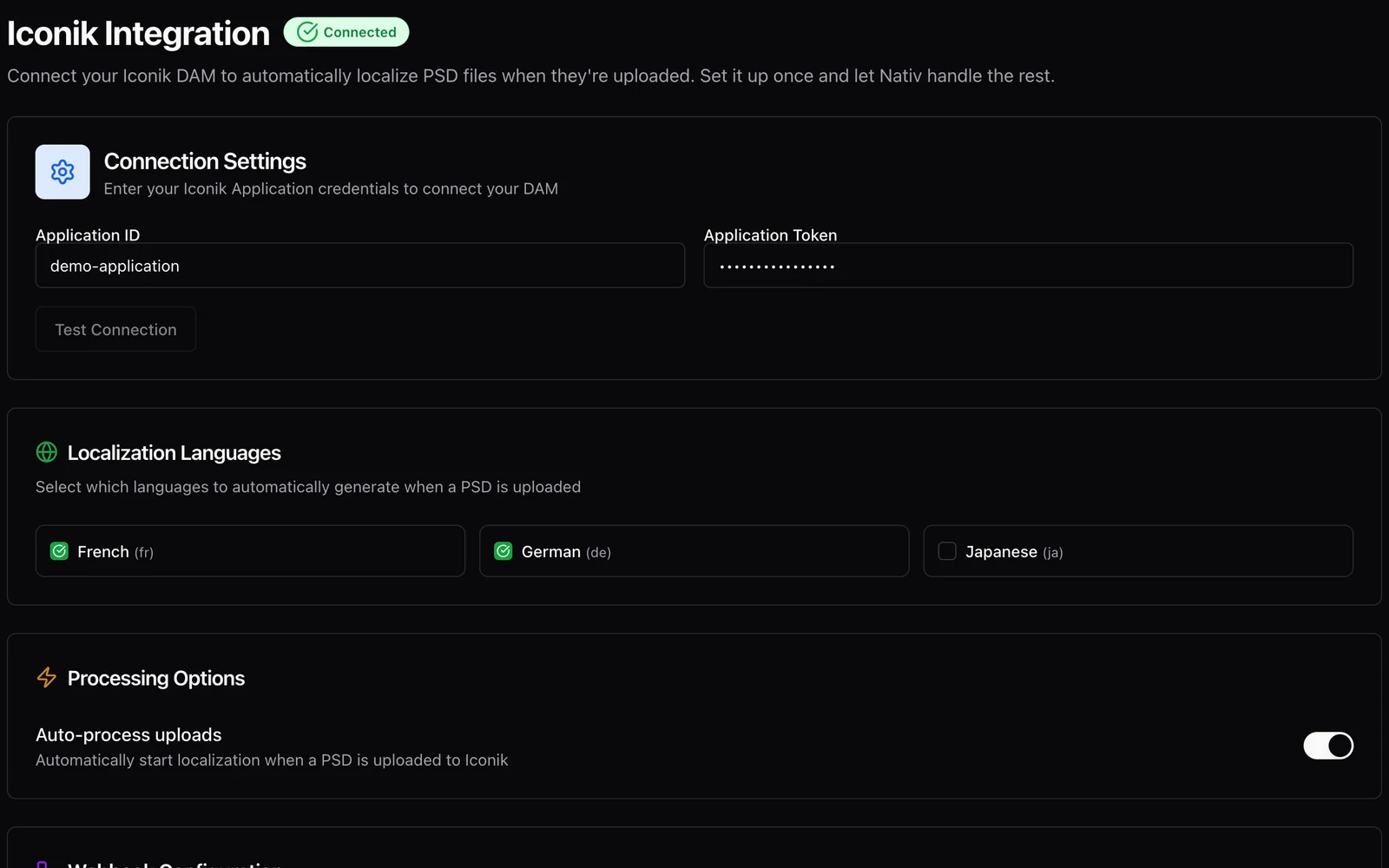
Nativ’s iconik integration uses the arrival of a supported PSD asset as a starting point for localisation. The configuration connects the media system, target languages and processing behaviour so that a repeated handoff can become a defined workflow.
Start with a supported asset
This integration is about PSD localisation. It should not be read as a promise that every file in an iconik library, from raw footage to arbitrary document formats, will follow the same path.
Before configuring an automated run, inspect the source PSD. Use meaningful editable text layers where appropriate, retain the fonts and linked material the workflow needs, and choose a design whose output you can review clearly.
A flattened image of a headline and an editable Photoshop text layer are different surfaces. The Photoshop guide explains why reviewing the resulting creative remains important even when the language operation completes successfully.
Configure the handoff deliberately
The Nativ settings screen accepts the iconik Application ID and token, offers a connection test, exposes target-language choices and an automatic-processing control, and provides the webhook destination for the integration.
Those settings describe the scope of the handoff. A working connection proves that the systems can communicate; it does not decide which language versions the creative team wants or how the resulting files will be approved.
Choose a small test area in the media library and agree on a naming and review convention before routing a live campaign through the integration. Keep the original available so that visual checks can refer to exactly the version that was processed.
Test with one demonstration PSD
- Prepare a clean test asset. Use a PSD that your team owns and can inspect. A short headline and supporting line are enough to test the first loop.
- Open iconik Integration in Nativ. Enter the connection details in the credential controls and use Test Connection. Do not put those credentials into the creative file or a review screenshot.
- Choose the target languages. Confirm that the Nativ workspace contains the terminology and brand context intended for this asset.
- Review automatic-processing behaviour. Decide whether the test should process on upload and configure the iconik webhook as required by the integration.
- Save the configuration and upload the test PSD. Follow the job through the available status and result surfaces. Confirm that the expected language versions are produced and can be located.
- Inspect the resulting creative. Check text, typography, layer structure and export appearance. Confirm the result’s association with the source before using the same setup for a broader campaign.
Automation needs a review destination
Removing a manual initiation step makes the handoff easier to repeat. It also makes exceptions more important. A missing font, unexpected layer structure or ambiguous product term should have a clear person and place for review.
Define that responsibility alongside the connection settings. Who checks a new language version? Where is a rejected result recorded? What happens when the source asset changes? These are production decisions rather than details an upload event can infer.
The useful promise is a connected workflow: the media library can initiate a supported localisation operation, and the team can inspect the resulting assets as part of its normal creative process.
Use shared brand context to keep terminology consistent across that process. Then review the actual design. A reliable handoff is valuable because it gives the creative team more attention for the decisions that still require them.
Product references
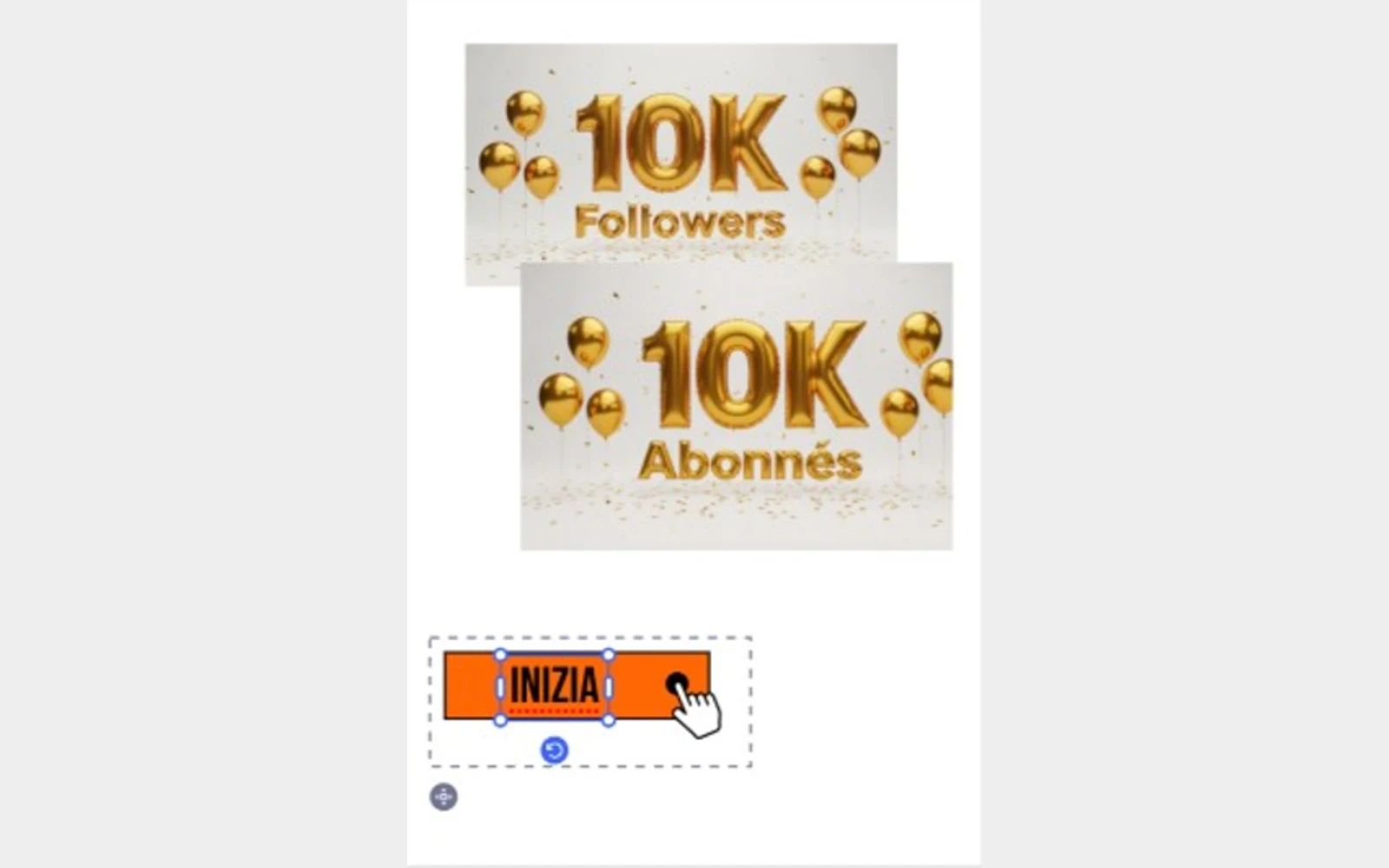
Localise the selection. Keep creating.
Use Nativ in Adobe Express to adapt selected text and images, supply glossary context, and review the result directly on the canvas.
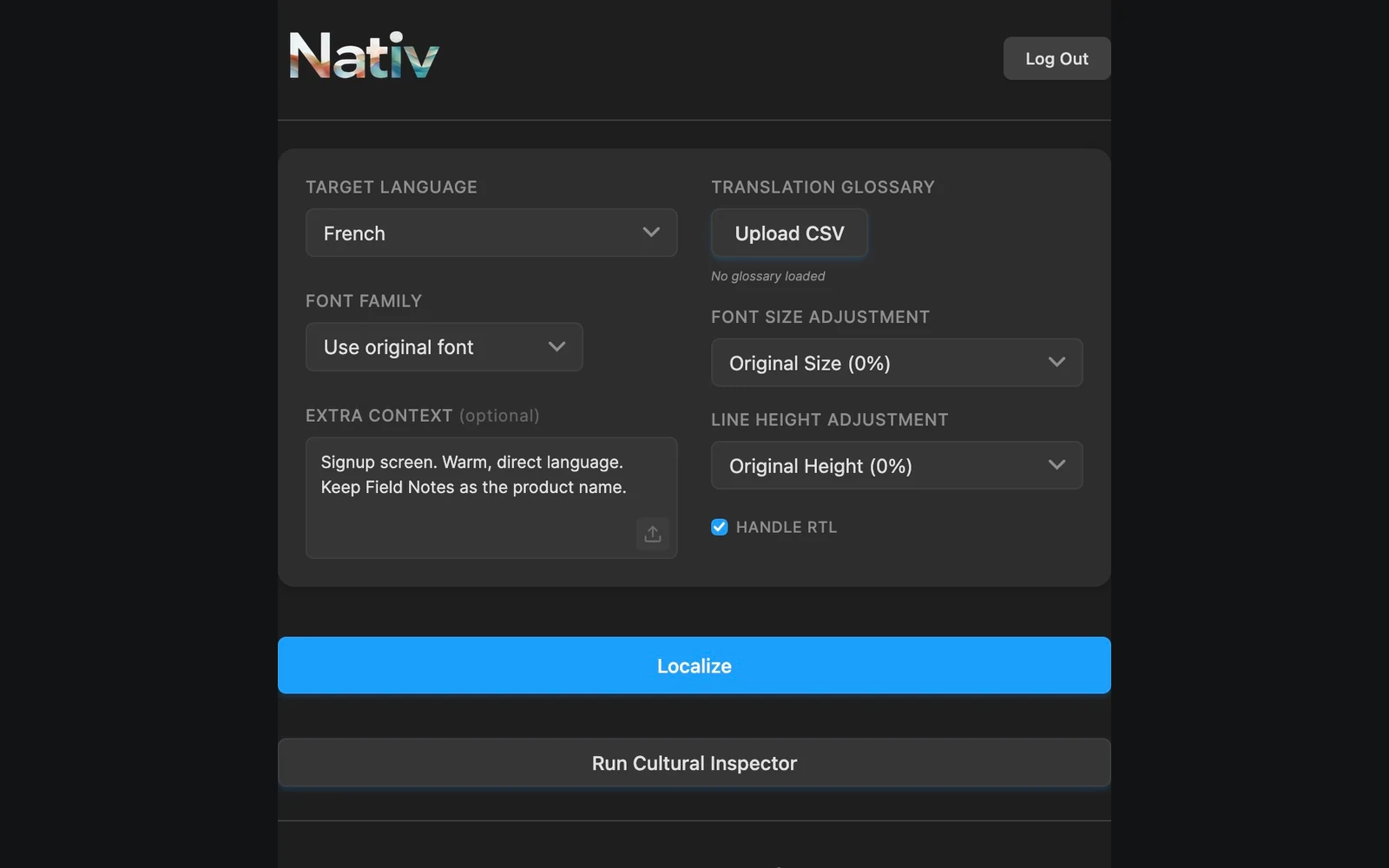
The words are part of the design.
Localise Figma text in context with Nativ: preserve the source, supply terminology, and review typography and hierarchy on the canvas.