The useful output is a draft your editor can publish.
A translated article still needs an editor: someone to check its headline, links, formatting and place in the publication. The connector returns the work to that person.
An article is ready for another audience. The title is a promise, the excerpt introduces that promise in a feed, and the body contains headings, links and blocks that make the argument readable.
Sending only the body text for translation leaves much of the publishing job unfinished. So does receiving a translated document that someone has to reconstruct in the CMS.
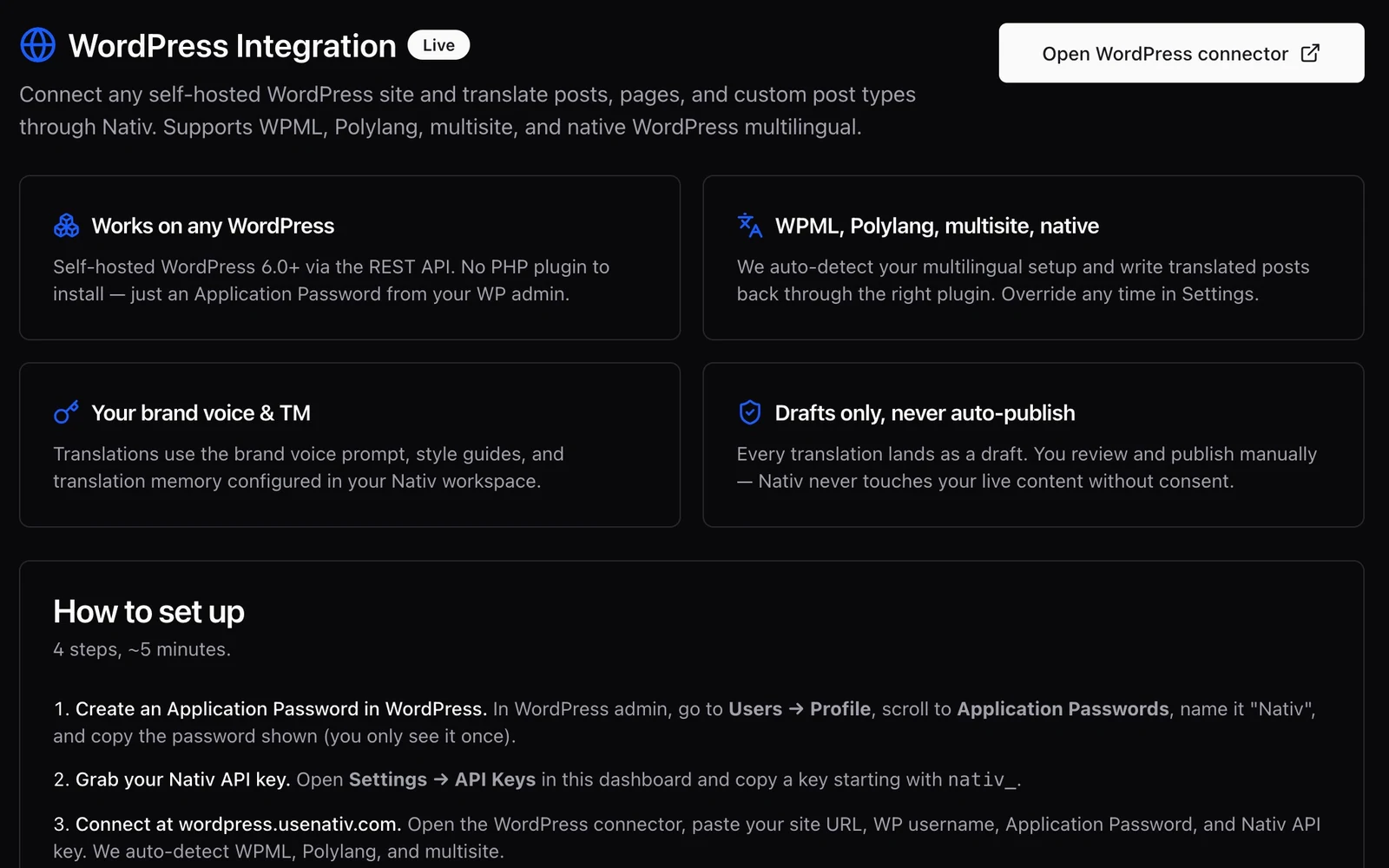
Nativ’s WordPress connector works with the publication’s content and writes translated versions back as drafts. The editorial team can review them in the system where they will eventually publish.
Keep the publishing handoff intact
The connector targets self-hosted WordPress through its REST API. It discovers post types and supports posts, pages and custom post types through that interface. Translation covers fields such as title, content, excerpt and slug, with handling intended to retain HTML, shortcodes and Gutenberg block structure.
Preserving structure is a useful starting point rather than a substitute for previewing a page. A translated heading may wrap differently. An embedded asset may contain untranslated words. A link may need a language-specific destination even when its surrounding sentence reads well.
Draft status gives these decisions an explicit home. The connector’s first-version workflow creates drafts for manual review and publication. It does not establish an automatic publishing schedule or a continuous update-sync loop.
Work with the site’s multilingual setup
Different WordPress sites organise language versions differently. Nativ includes adapters for WPML, Polylang, multisite and a native fallback. The connector detects the setup and allows an override in its settings.
This is more than a translation setting. It affects where a version is written and how it is related to its source. Some configurations require the appropriate REST companion support from the multilingual plugin. Verify that connection on a small sample before processing a large archive.
For a custom post type, inspect its fields carefully. A generic post interface does not imply specialised handling for every commerce extension, metadata field or page-builder object.
Translate one article end to end
- Choose a representative post. Include a heading, a link, an image and a short excerpt. Use a staging site or a suitable draft for the first run.
- Create a WordPress Application Password. Use the site’s user profile controls and an account with the permissions needed to create the target drafts. Enter the credential only in the connector’s connection form.
- Connect the site and Nativ workspace. Supply the site URL, WordPress username, Application Password and your Nativ API key. Check the detected multilingual setup.
- Choose the post type and target language. Start with a small selection so that you can inspect the complete result.
- Open the resulting WordPress draft. Review the title, excerpt, slug, body, block structure and relationship to the source language.
- Preview, revise and publish in WordPress. Check links and embedded media in the rendered page. The editorial publication decision stays with your team.
The review extends beyond prose
Ask whether the localised page fulfils the same purpose as the source. A product announcement may refer to availability in a particular country. A date, price or campaign destination can require an editorial change rather than a linguistic substitution.
Review the slug and internal links alongside the copy. Then check your site’s own language navigation, canonical and language metadata settings. Creating a draft is one part of a multilingual publishing system; it does not automatically settle every SEO configuration in that system.
The same principle appears in Airtable’s reviewed writeback: generated language becomes useful when it returns to a place where the responsible person can inspect and apply it.
Before a larger run, agree on terminology in the Nativ workspace. That turns the first reviewed article into a deliberate editorial reference for the next one.
Product references
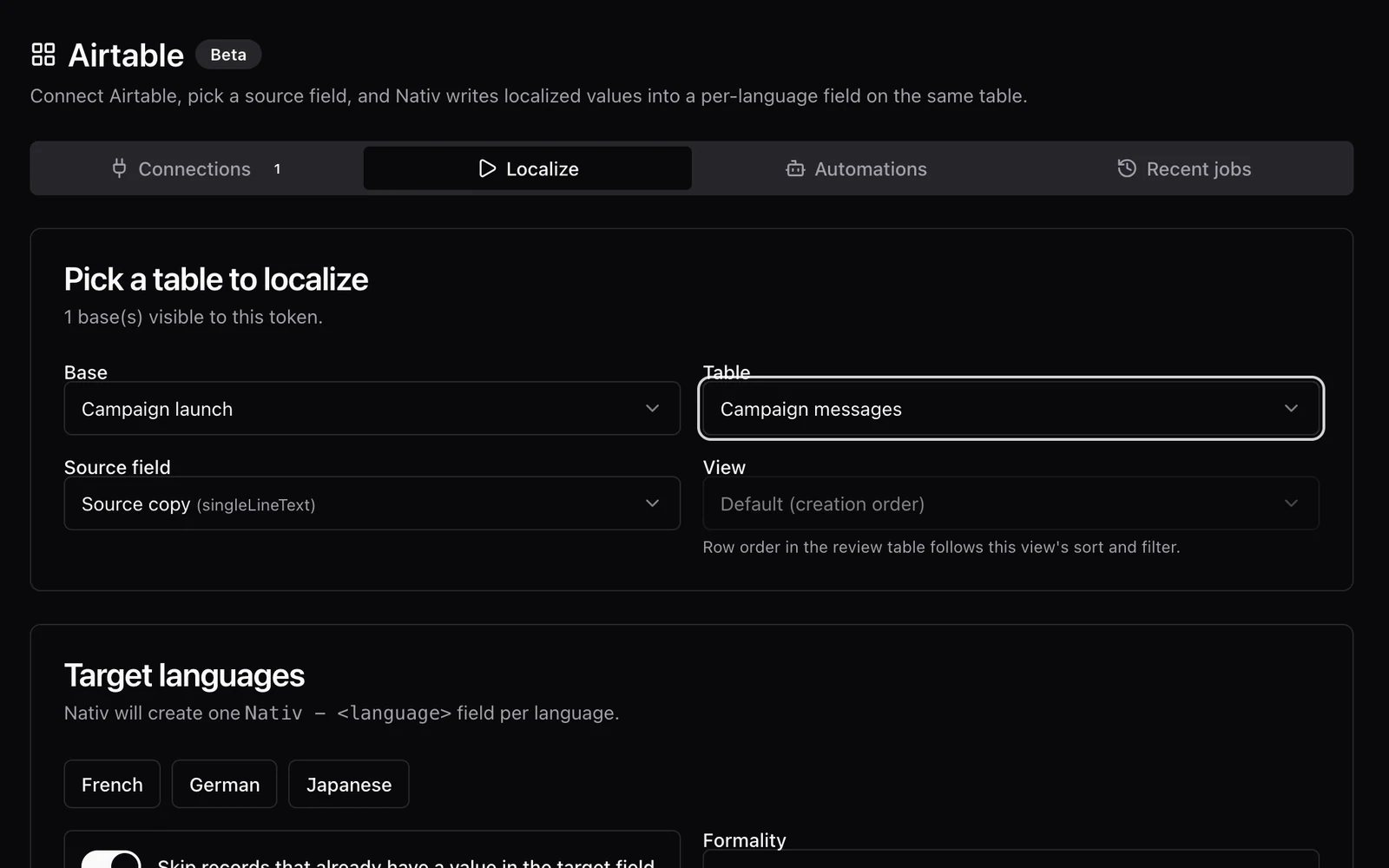
A translation should come back to the right cell.
Localise Airtable content with Nativ, inspect optional review tables, and apply reviewed translations to language fields in the source table.
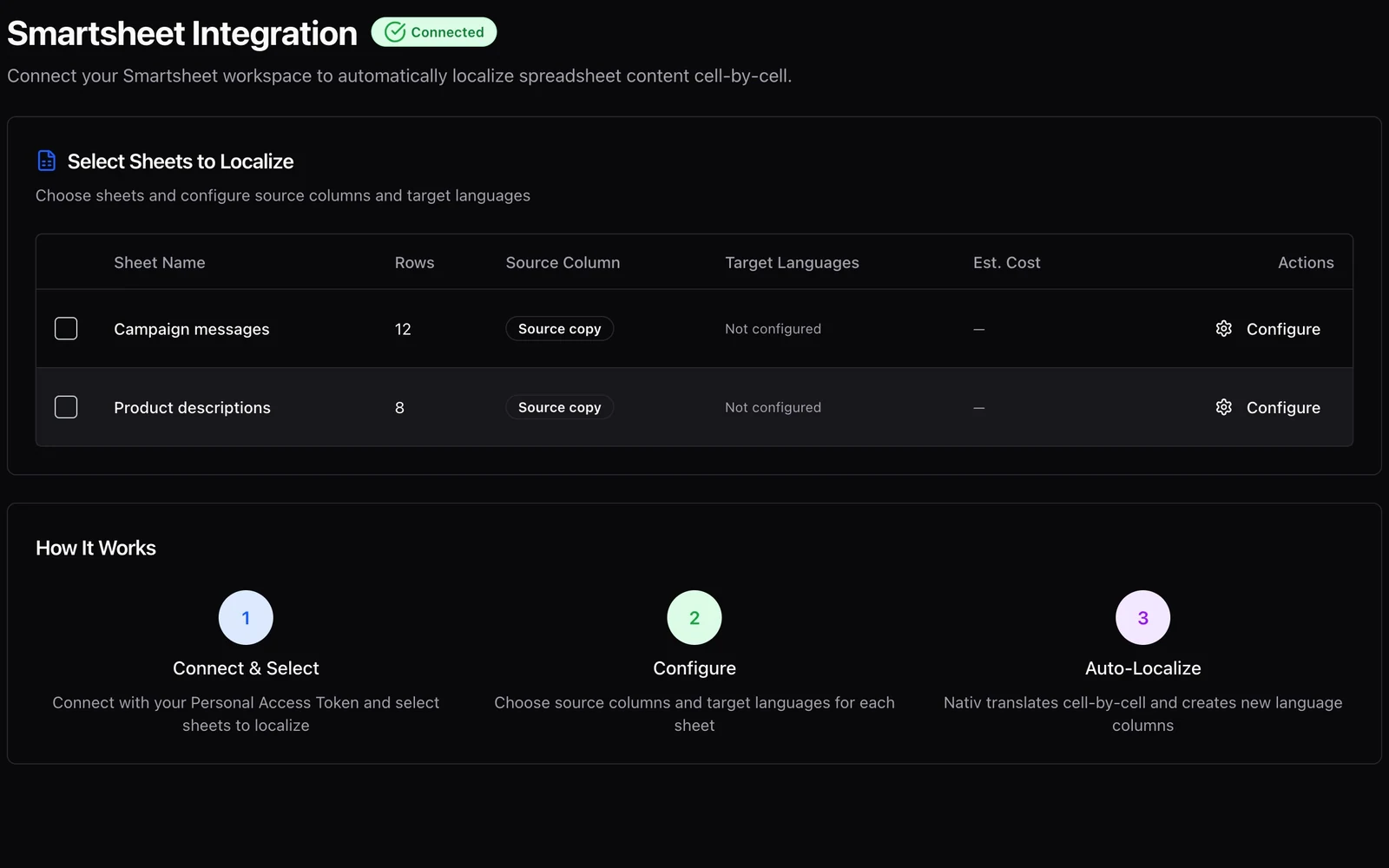
Keep the content plan and its languages together.
Use Nativ with Smartsheet to choose source columns, add target-language columns, and manage batch context without replacing the source copy.