How to update After Effects language versions with JSON
Thirty language versions should not mean thirty rounds of pasting the same correction. Give the copy a stable source, then keep the layout decisions visible.
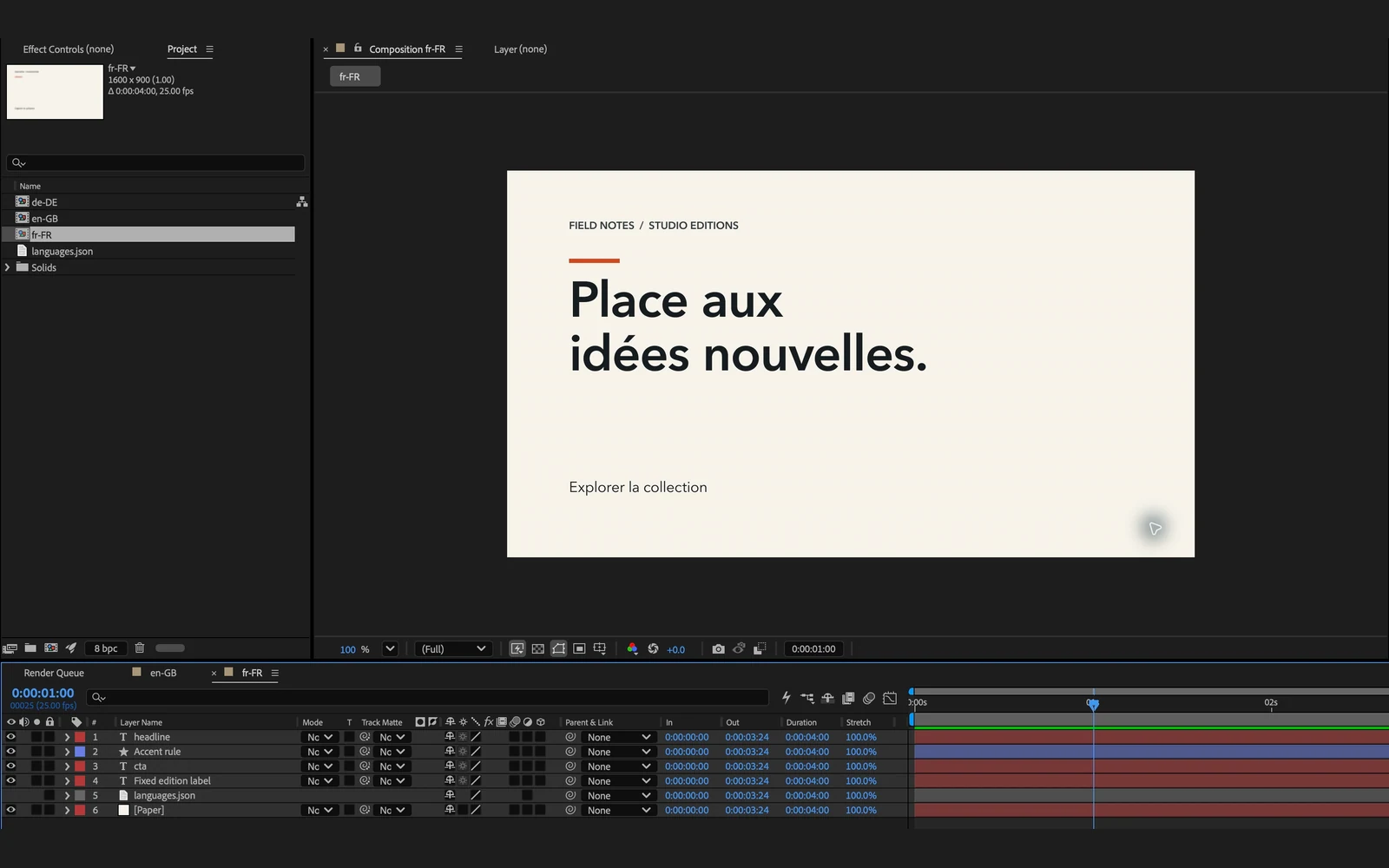
Import reviewed language copy as JSON footage, link each text layer’s Source Text to the correct locale and field, then preview and render each composition. This removes repeated text entry. It does not automatically synchronise every design change, resize every headline or retime a translated voiceover.
In an After Effects discussion about thirty language versions, an editor describes pasting supplied translations by hand and asks whether a spreadsheet could drive the text. Another language-version workflow question raises the harder follow-up: what happens when the original animation changes later?
Those are related but separate jobs. A shared copy file can solve the text-entry part. The composition structure still determines how design revisions travel.
Start with a small project that works
Download the After Effects project and JSON. The exercise contains three four-second, 1600 × 900 compositions named en-GB, fr-FR and de-DE. Each has an editable headline and call to action, a fixed edition label, a background and a small graphic accent.
We created and tested it in native After Effects 2026, version 26.5x89, on macOS, on 11 November 2026. We checked the six evaluated text values, exported a frame from each composition, changed the French call to action in JSON, reloaded the footage and checked the new result. We also reopened a relocated project copy while its original JSON path was unavailable; the adjacent JSON was found and the French composition rendered.
The copy and line breaks are manually authored examples. No translation request, customer file, Nativ credit spend or language quality benchmark is part of this demonstration. The project was saved in the tested After Effects version; older-version compatibility is untested. It uses Avenir Next, which is not bundled. Substitute a font available on your system and inspect the layout again.

Give every changing phrase a stable identity
The language file keeps locale identifiers and field names separate from the words:
{
  "locales": {
    "en-GB": {
      "headline": "Room for\nnew ideas.",
      "cta": "Explore the collection"
    },
    "fr-FR": {
      "headline": "Place aux\nidées nouvelles.",
      "cta": "Explorer la collection"
    }
  }
}
This excerpt shows two locales; the download also includes German. The headline and cta keys identify creative roles. They are not text to translate. The \n characters request intentional line breaks in this example, rather than automatic wrapping that has been approved for every language.
Keep context with the review: which phrase is a headline, where the button appears and which names must stay consistent. Store reviewer status separately from this small delivery file so a draft is not mistaken for approved copy simply because it has valid JSON syntax.
Connect Source Text to the right locale
The supplied project is already wired. To reproduce the connection in a copy of your own project:
- Import
languages.jsonthrough File → Import → File. Keep the footage item namedlanguages.jsonfor these expressions. - Open a composition named exactly for a locale in the file, such as
fr-FR. - Reveal the headline layer’s Text → Source Text. Option-click its stopwatch on macOS, or Alt-click on Windows, to enter an expression.
- Use this expression for the headline:
var data = footage("languages.json").sourceData;
data.locales[thisComp.name].headline;
For the call to action, use the same lookup ending in .cta. Adobe’s expression reference documents sourceData; our native test verifies this particular object structure and text-layer use.
Composition names are part of this exercise’s contract. Renaming fr-FR to French final requires changing the lookup or supplying another explicit locale selector. A missing locale, renamed footage item or misspelled field should be investigated as a data connection error. Do not silently substitute English in a deliverable that is meant to be French.
Our headline entrance uses Position and Opacity keyframes. The Source Text expression supplies the wording. More complicated text animators, per-character timing and mixed formatting need their own checks; this simple project does not establish that they survive arbitrary text replacement.
Test one correction before scaling the batch
The native update test changed only the French cta from Découvrir la collection to Explorer la collection. We saved the JSON, reloaded its footage and evaluated the French text again. The English and German values remained as expected.
For your first update, work on a copy, change one unmistakable phrase, then select the JSON in the Project panel and use File → Reload Footage. Confirm the exact new phrase in the intended composition and inspect another locale for an unintended change.
Review the visible result at the start, middle and end of the animation. A sentence can be correct at the settled frame but enter too early, collide with another layer or reveal awkwardly. Longer copy can also require different line breaks or font treatment.
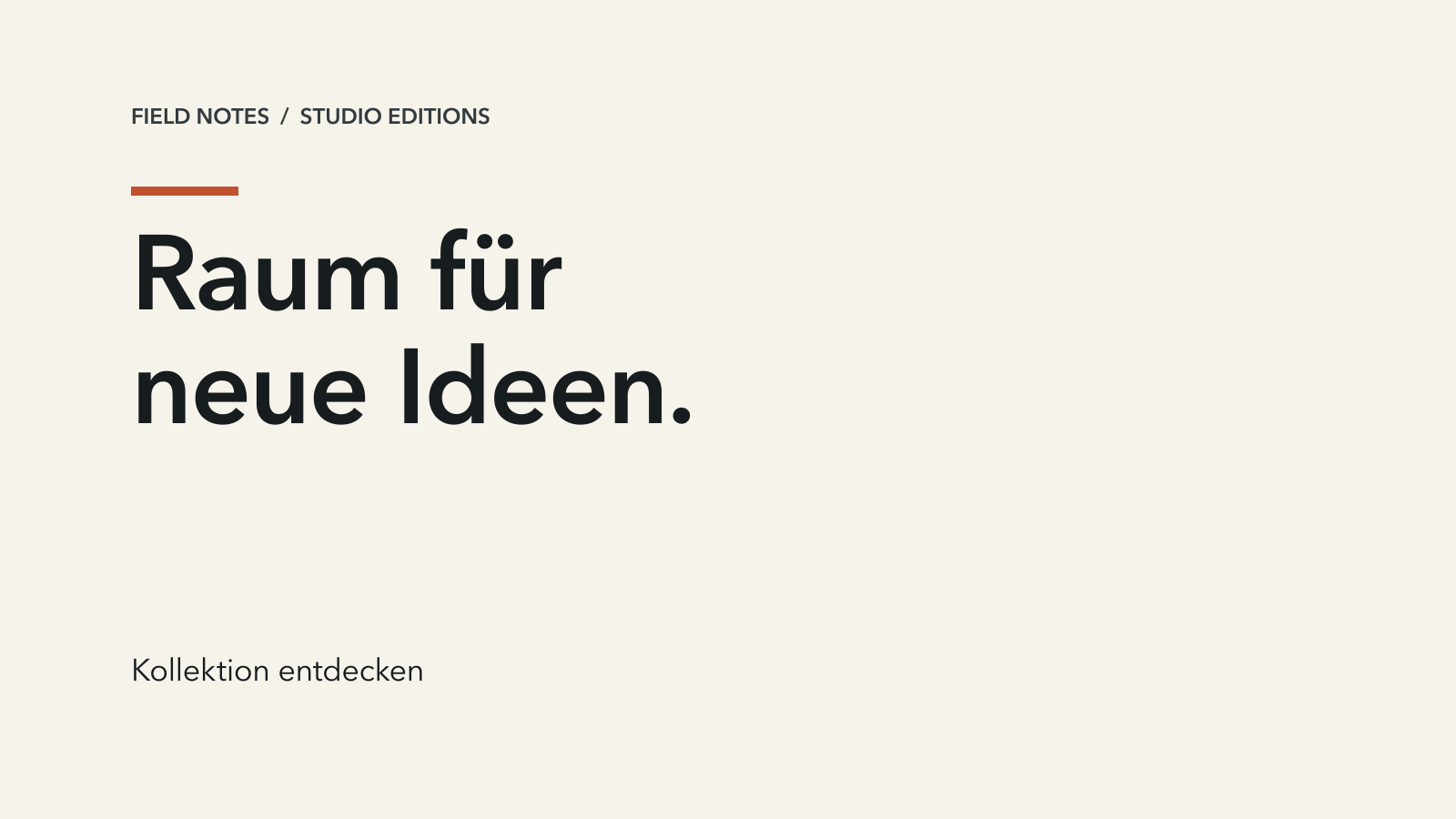
The downloadable English frame and German frame provide references for the other compositions. They are still frames at one second, not proof of a complete multilingual video delivery.

Keep copy updates and design revisions separate
All three compositions read one JSON file, so copy edits have one source. The visual layers in this exercise are separate composition copies. Changing the English accent, font size or animation does not update the French and German layers automatically.
For a larger system, decide which backgrounds or motion elements belong in shared precompositions and which language-specific layout decisions need separate control. Test the chosen inheritance structure before committing an entire campaign to it. A JSON connection is not a complete version-control system.
Voiceover introduces another boundary. A new language can need longer pauses or different scene timing. This text-only exercise neither generates speech nor aligns an animation to it. Use the After Effects localisation workflow when evaluating a project that also needs image or spoken-content work, and review the resulting sequence as a whole.
Package the data with the project
The JSON footage is included as a layer in each supplied composition. Adobe’s current data-driven animation guide recommends adding data files to the Timeline for Media Encoder or Premiere linking, and explains that this also includes them when collecting files.
Keep the project and JSON together. If After Effects reports missing footage after extraction, use Replace Footage → File to point the existing languages.json item at the extracted file. Confirm the three locale compositions before rendering. The README lists the tested setup and limitations.
Our relocation test covered reopening in After Effects. It did not test Adobe Media Encoder, a Premiere Dynamic Link, a render farm or a MOGRT export. Verify the actual delivery route, including external data and fonts, before promising that the package works there.
Prepare reviewed copy with Nativ
When translations have not been supplied, Nativ’s released translate_batch tool can prepare related phrases for one target language. Keep locale keys and field names in your own mapping, send the actual copy with its creative context, then review each returned item before assigning it to headline or cta.
These are documented example arguments, not a request we ran for this project:
{
  "texts": ["Room for new ideas.", "Explore the collection"],
  "target_language": "French",
  "target_language_code": "fr-FR",
  "source_language": "English",
  "source_language_code": "en",
  "context": "Fictional studio edition. First phrase is a two-line title card; second is its call to action. Supply natural wording for review; final line breaks will be chosen in the composition."
}
Check completeness and source-to-result correspondence before writing the JSON. A failed batch is not an invitation to invent missing translations. Use a reviewed glossary for terminology and inspect the target-language result with a reviewer.
Nativ prepares the language in this route. After Effects reads your approved data and renders the compositions. This guide does not describe an automatic Nativ JSON exporter, unattended render service or automatic synchronisation of every language version.
Product references
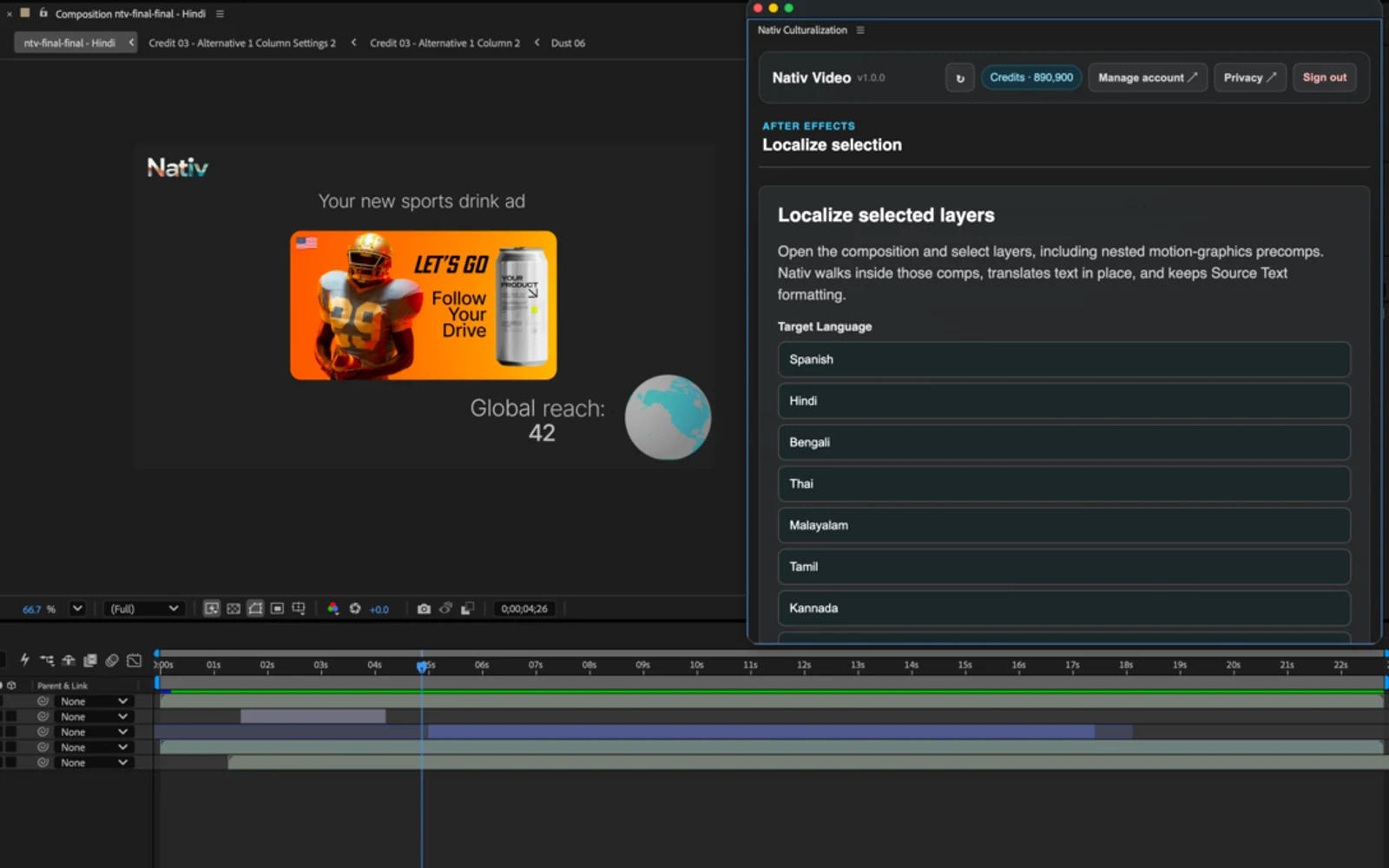
A translated film should still be your film.
How Nativ for After Effects localises text, images and audio across layered compositions while keeping the project editable.
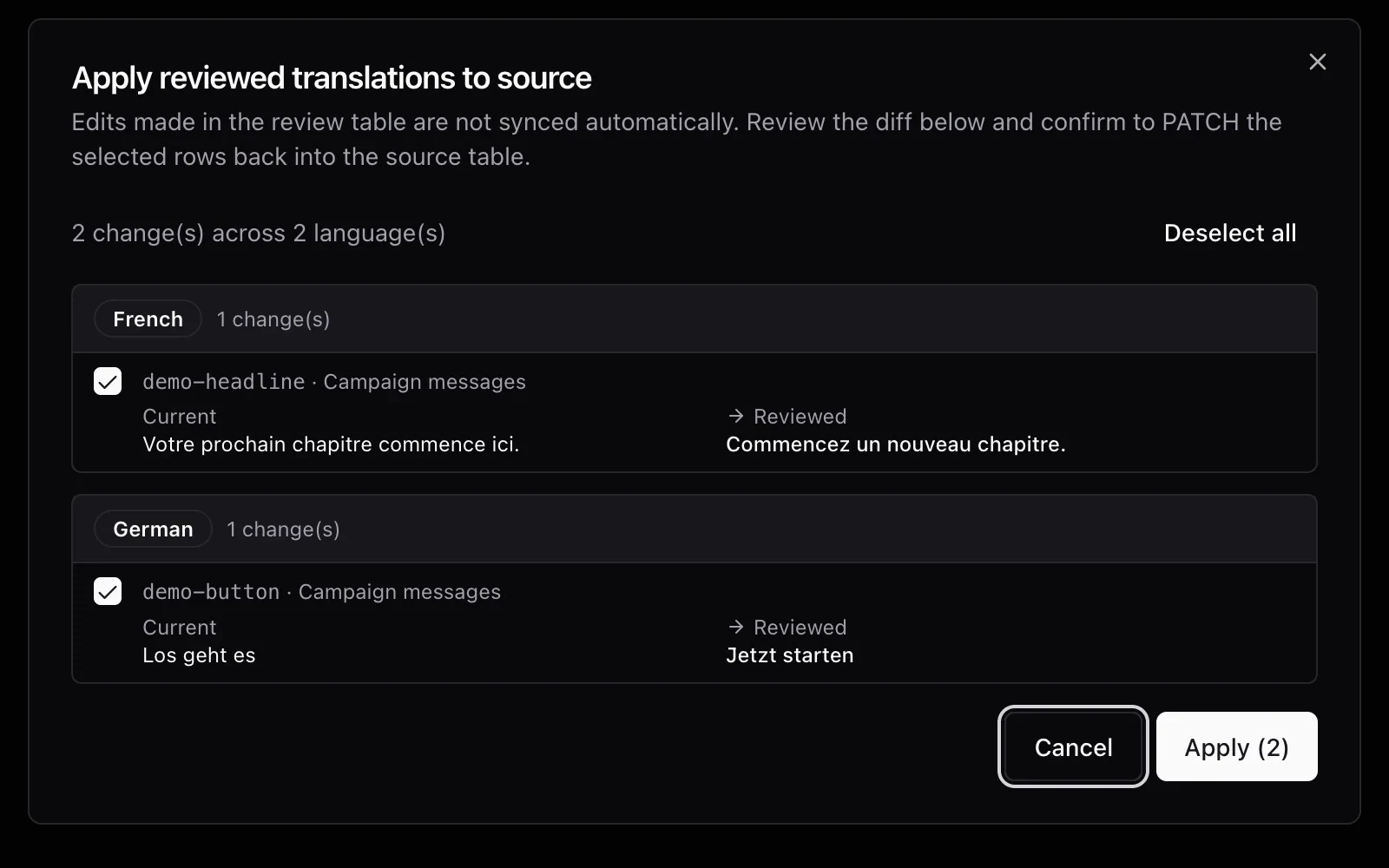
How to review a translation when you don’t speak the language
Check facts, placeholders and layout, use backtranslation carefully, and give a language reviewer a clear handoff before publishing translated content.