A translated film should still be your film.
A voiceover is one part of a film. The headline animating into frame, the graphic behind it and the timing of the edit matter just as much. Localisation has to work with all of them.
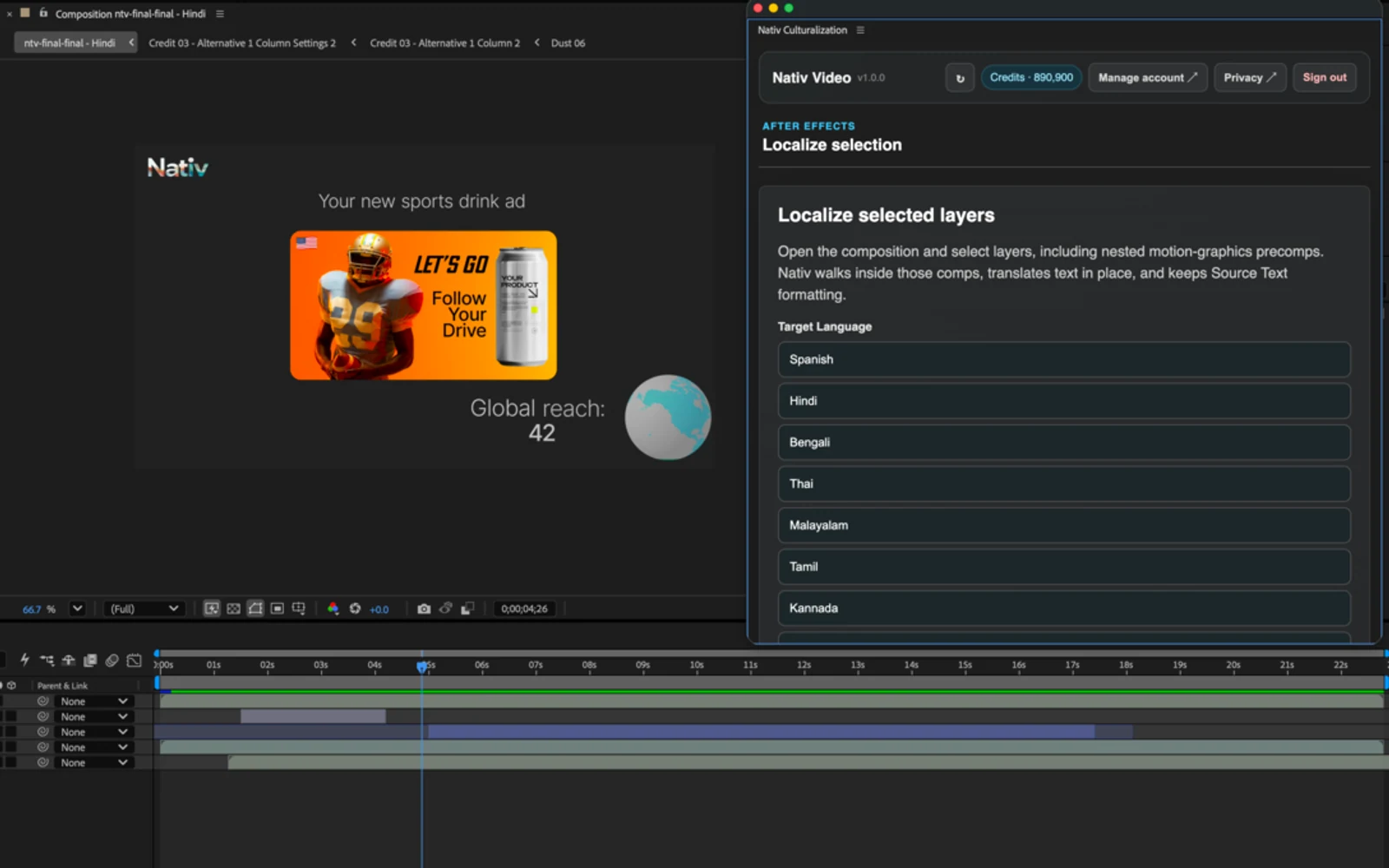
An editor opens a campaign that is ready to ship. The product appears on the beat. A headline resolves across three text layers. A voice finishes just before the end card. Inside the main composition are smaller compositions that hold the typography, a product image and a caption treatment.
Now the campaign needs another language.
The script is a small part of what needs to change. The editor has to find where those words live, carry their meaning into the next market, and put them back without disturbing everything around them. Translating the copy is useful. Returning a project the editor can still work on is the real requirement.
That requirement shaped Nativ for After Effects, published on Adobe Exchange on 24 September 2026.
The composition is the unit of work
An exported video has pixels and sound. An After Effects project also has structure: text properties, footage references, nested compositions, animation and timing. That structure is valuable because it describes how the creative was made.
Nativ works inside that project. Select the layers you want to localise, choose a target language, and run the panel. The plugin identifies supported content, creates a duplicated localised composition and applies the appropriate workflow to its layers. The source composition remains available for comparison.
This changes the handoff. Instead of receiving translated strings and reconstructing their context, the editor receives a language version of the composition.
The useful output is a creative asset that the next person can still edit.
Different layers need different treatment
A text layer and an image containing text can look almost identical in a rendered frame. They are very different editing surfaces.
For editable Source Text, Nativ replaces text values while retaining styling, animation and keyframes. Nested compositions are traversed recursively, so a headline inside a precomp can be part of the same workflow as a headline in the active composition.
For text embedded in a still image, the task is image localisation. The result is adapted image content inside the composition; it does not turn rasterised letters into native text layers.
Audio and video layers introduce another constraint: a translated script has to be spoken. Nativ supports transcription, translation and dubbing, with voice selection and duration matching. The result still needs to be heard against the edit. A line can fit the duration and still need a different emphasis.
Treating these as distinct operations makes the project more useful. Each layer receives a result appropriate to the material it contains.
Walk through one language version
Start with a short composition that contains editable text and one other supported layer. A small example makes the review easier to judge before you process a larger campaign.
- Install and open the panel. Install Nativ Video Culturalization from Adobe Exchange. In After Effects, open Window → Extensions → Nativ Culturalization.
- Choose the composition. Activate the composition and select the layers you want to adapt. With no selection, the plugin processes all supported layers in the active composition.
- Bring your workspace context. Sign in to the Nativ account containing your target languages, brand voice, glossary and translation memory.
- Choose the language and voice settings. Use the voice options when the selection contains spoken material. You will need available Nativ credits.
- Localise, then review the duplicate. Check the new composition alongside the source. Play the complete sequence, including nested typography and the end card.
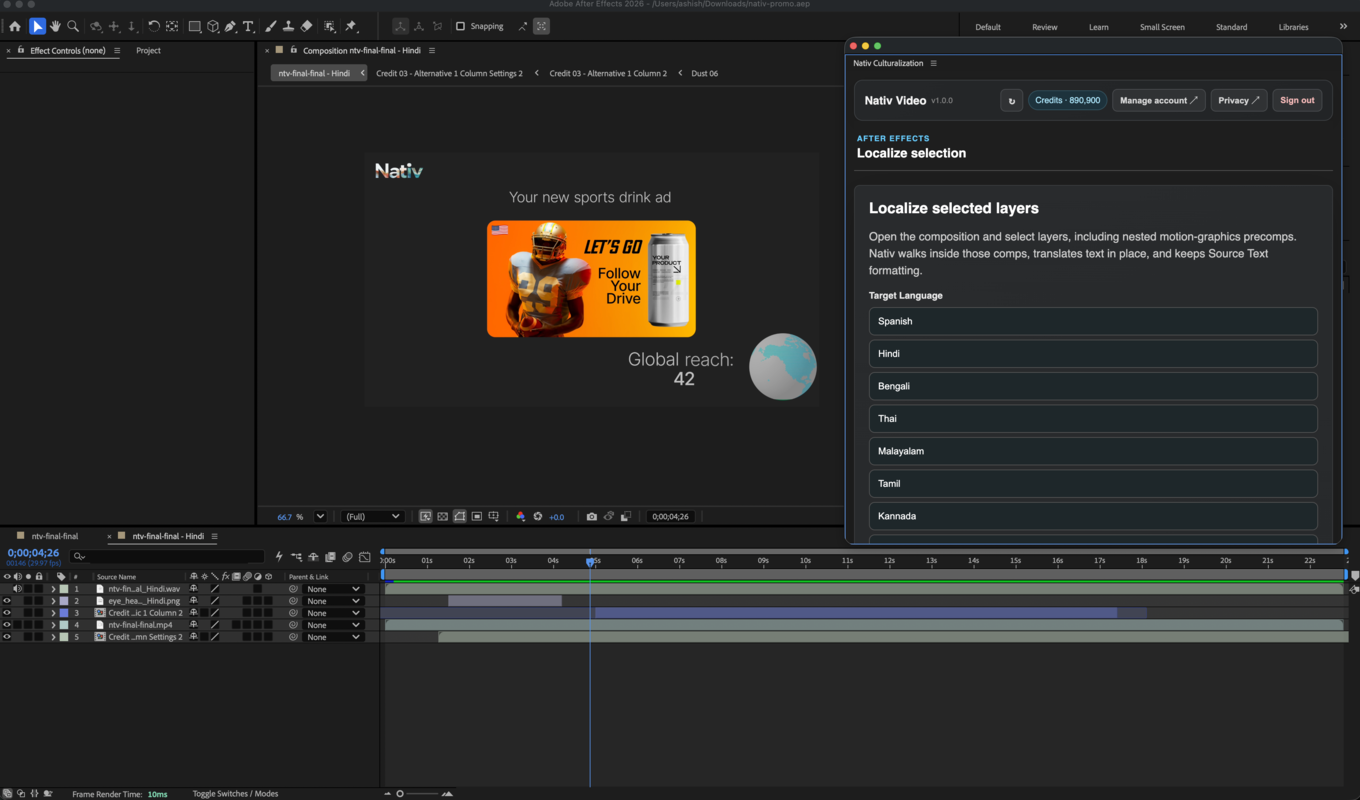
What to look for in the review
The first check is meaning. Did the localised headline preserve the point of the campaign? Does a product term remain consistent with the rest of the brand?
Then check the frame. A longer line may wrap differently. A different script may need a font that contains the right glyphs. A headline that was balanced around an English phrase can need typographic adjustment even when its properties have been preserved.
Finally, listen and watch together. Check the beginning and end of spoken lines, pauses, scene changes and the relationship between the voice and the on-screen message. Duration matching helps fit audio into a sequence; creative review determines whether that fit feels right.
These are production decisions. Keeping the result in a duplicated composition gives the editor a practical place to make them.
One workspace, several creative surfaces
The plugin uses the same Nativ workspace context as the rest of the platform: translation memory, glossaries, style guidance and brand voice. The approved name of a product should not change because the campaign moved from a static image to an animated end card.
After Effects gives that shared context access to the structure of motion design. For a finished film, the Nativ Video workflow offers another starting point. For editable motion graphics, start with the composition.
The plugin requires After Effects 2022 or later, a Nativ account, available credits and an internet connection. Its public listing is the place to check the current installer and compatibility details.
Product references
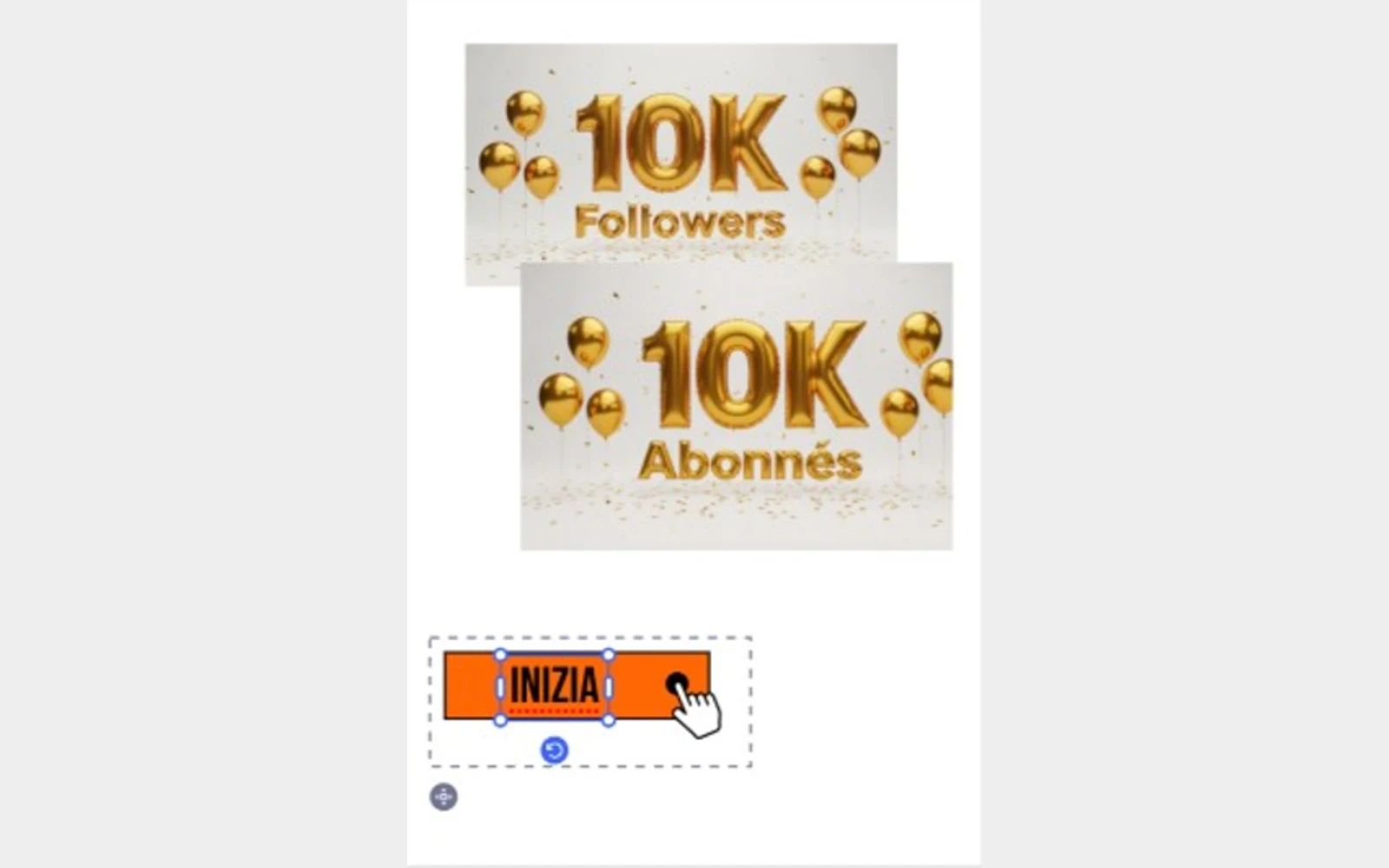
Localise the selection. Keep creating.
Use Nativ in Adobe Express to adapt selected text and images, supply glossary context, and review the result directly on the canvas.
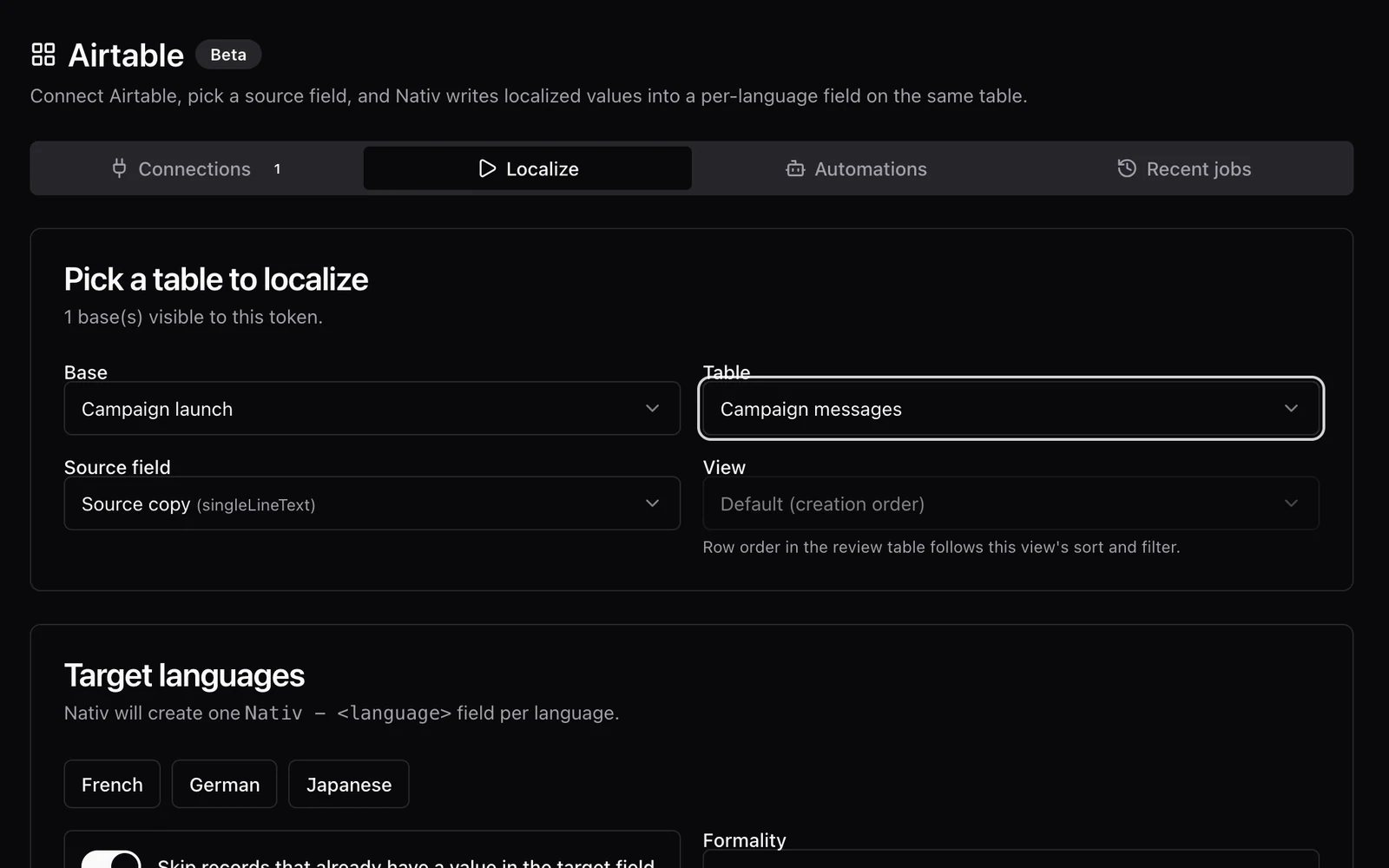
A translation should come back to the right cell.
Localise Airtable content with Nativ, inspect optional review tables, and apply reviewed translations to language fields in the source table.