Keep the content plan and its languages together.
A content plan is a working system of rows, owners and decisions. Localisation should add language versions without making the team reconstruct that system.
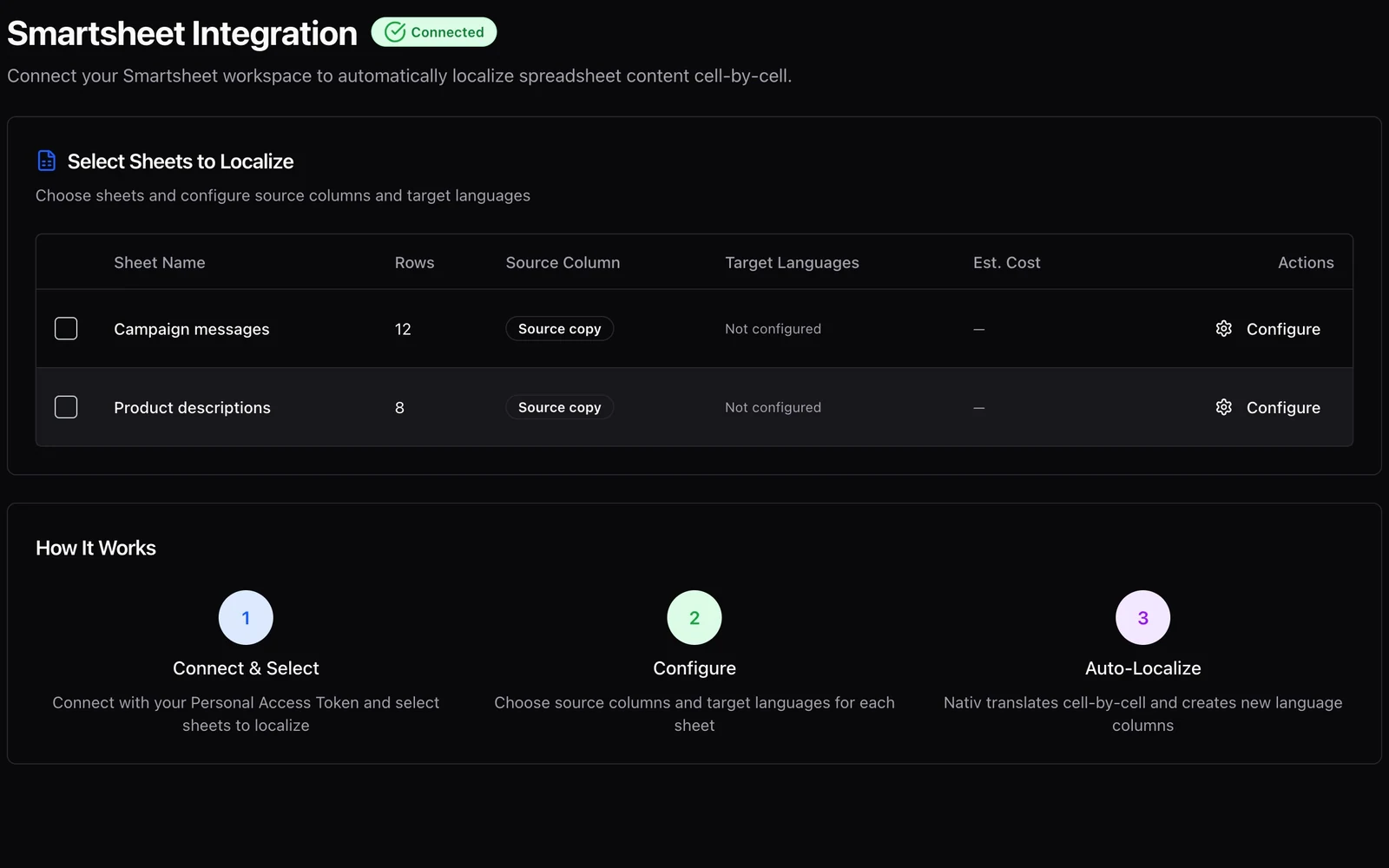
A campaign plan begins as a sheet. Each row describes a deliverable, its message, its owner and its status. The copy changes as the plan becomes real.
A separate translation spreadsheet can become a second version of that plan. Soon the team has to ask which copy was exported, which translation is current, and where an editor’s change should be pasted.
Nativ’s Smartsheet integration works with the sheet itself. It lets the team choose source columns and target languages, then creates language columns for translated content. The source remains a reference in the same working structure.
A source column is an editorial choice
A sheet may contain many kinds of text: a campaign headline, a task description, a legal note, a person’s name and an internal status. They should not all enter the same operation merely because they are strings.
The integration lists available sheets and columns and can suggest a source column. Treat that suggestion as a starting point. Check what the chosen column actually contains, including unusual rows and empty values.
Make the unit of work easy to describe. “Translate the approved headline column in this campaign sheet into French and German” is a useful instruction. “Localise our workspace” is too broad to review well.
Share a brief across the batch
The batch configuration provides context and glossary inputs alongside language and formality controls. Use context to explain the placement and purpose of the selected content. Use the glossary to make product names and repeated terms explicit.
For example, a sheet of interface messages benefits from knowing that the copy is shown inside a product rather than in a promotional email. A sheet of campaign headlines may need a more expressive brief and a different review process.
These settings apply to a batch, so check that the selected sheets genuinely share the same brief. If one sheet contains technical instructions and another contains a playful social campaign, two smaller operations may produce more useful results than one combined run.
Configure and review one sheet
- Open Smartsheet Integration in Nativ. Connect the Smartsheet account using the supported credential flow. Confirm that the intended sheets are listed.
- Choose a small representative sheet. Include a few different copy lengths so the first review tests more than a single short label.
- Check the source column. Open its configuration and choose the column deliberately, even if one has been detected automatically.
- Select target languages for that sheet. Review each selected sheet’s settings individually before combining them into a batch.
- Set context, glossary and skip-existing behaviour. Understand whether an existing translated value will be left in place before starting another run.
- Run the operation and inspect the sheet. Check the new language columns beside their source rows. Review terminology, empty cells, repeated labels and any reported failures.
The integration exposes job progress and results, including created columns. Use those results to locate the work that needs inspection. A completed job is a processing state; linguistic and editorial approval still need an owner.
Preserve the connection to the content’s purpose
Review a row as a unit. A translated headline can be good in isolation and wrong for the deliverable described elsewhere in that row. Check product versions, intended audience and destination alongside the generated wording.
Then inspect the asset where the words will be used. A language column does not measure whether a headline fits a banner or whether a button label matches the surrounding interface. Those are downstream design checks, ideally done in tools such as Figma.
Start with a stable source column and an agreed review habit before scheduling larger batches. For teams using Airtable instead, the Airtable workflow adds its own review-table and reviewed-writeback path. The shared aim is practical: language versions that remain connected to the work the team is already managing.
Product references
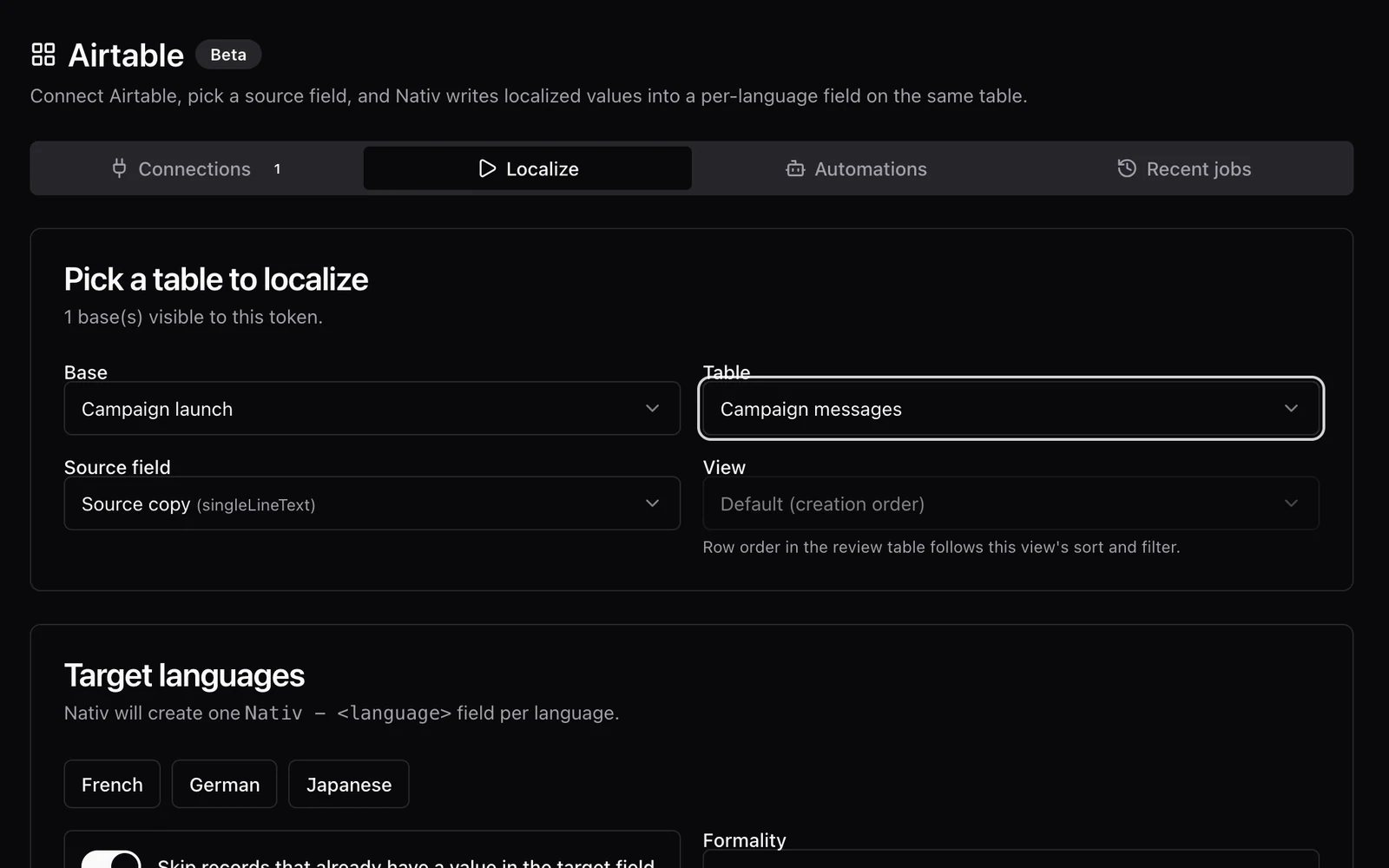
A translation should come back to the right cell.
Localise Airtable content with Nativ, inspect optional review tables, and apply reviewed translations to language fields in the source table.
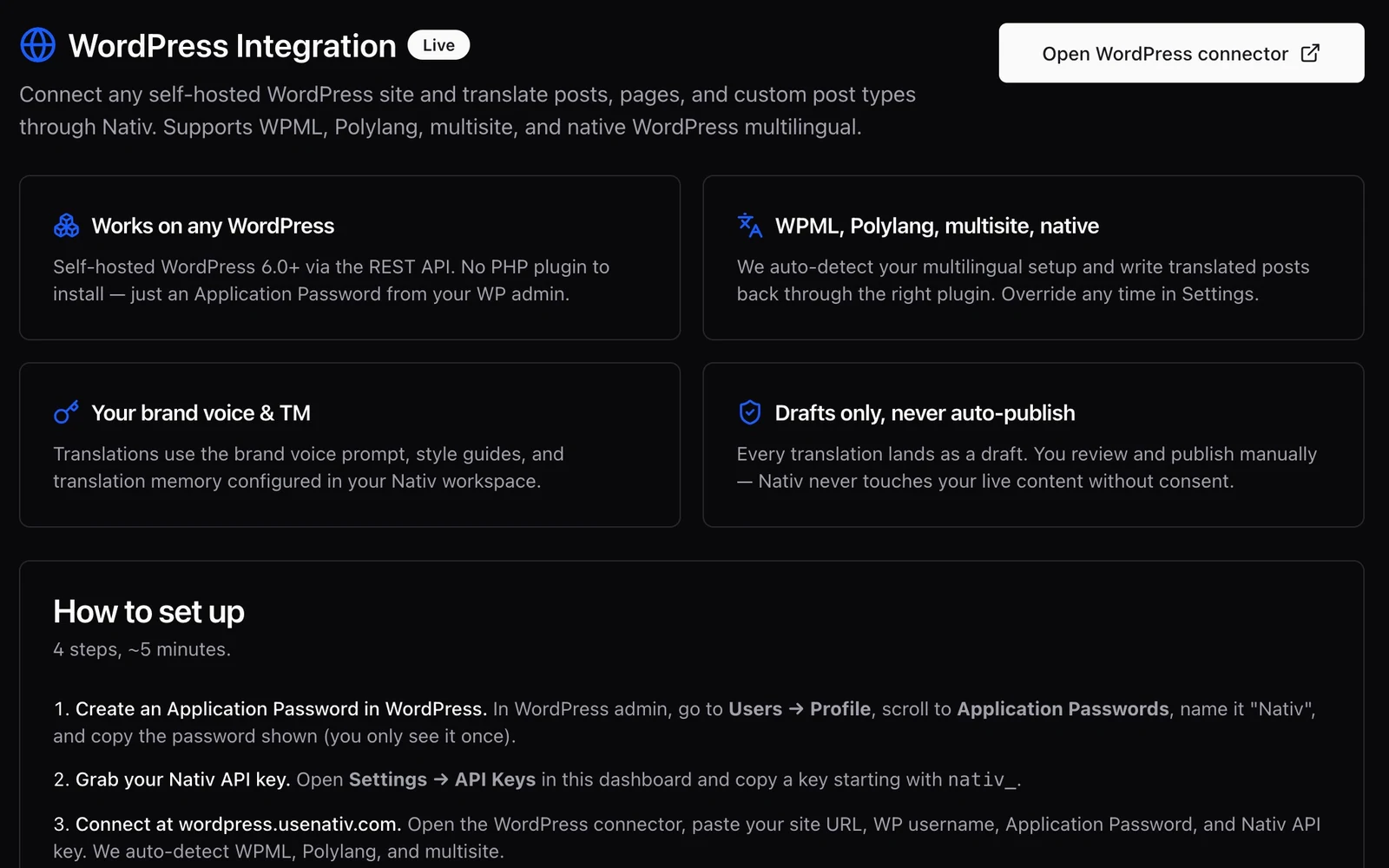
The useful output is a draft your editor can publish.
Translate WordPress posts and pages with Nativ, retain the publishing handoff, and review language versions as drafts before making them live.